

Why Self-Host a Registry on AKS?
Harbor is an open-source, CNCF-graduated container registry that stores, signs, and scans container images (and other OCI artifacts like Helm charts). Beyond the basic push/pull functionality of a registry, Harbor adds role-based access control, vulnerability scanning, image signing, replication, and quota management out of the box.
Two earlier posts on this blog covered operating Harbor once it is already running: forwarding its audit logs to Azure Log Analytics and monitoring it with Azure Monitor managed Prometheus and Grafana. Both assumed Harbor was already installed. This post fills that gap: it provisions the AKS cluster and installs Harbor from scratch, and wires in both of those companion posts from day one — Harbor’s audit-log forwarder and its Azure Monitor ServiceMonitor are part of the base install, not an afterthought.
The full, working reference implementation for this post is on GitHub: kasunsjc/Code-Snippets —
AKS-Harbor-Registry-Demo. It contains the Terraform, the Helm value templates, thedeploy.sh/cleanup.shscripts, and the Traefik/cert-manager manifests referenced throughout this post — clone it and run./deploy.shinstead of copy-pasting commands one at a time.
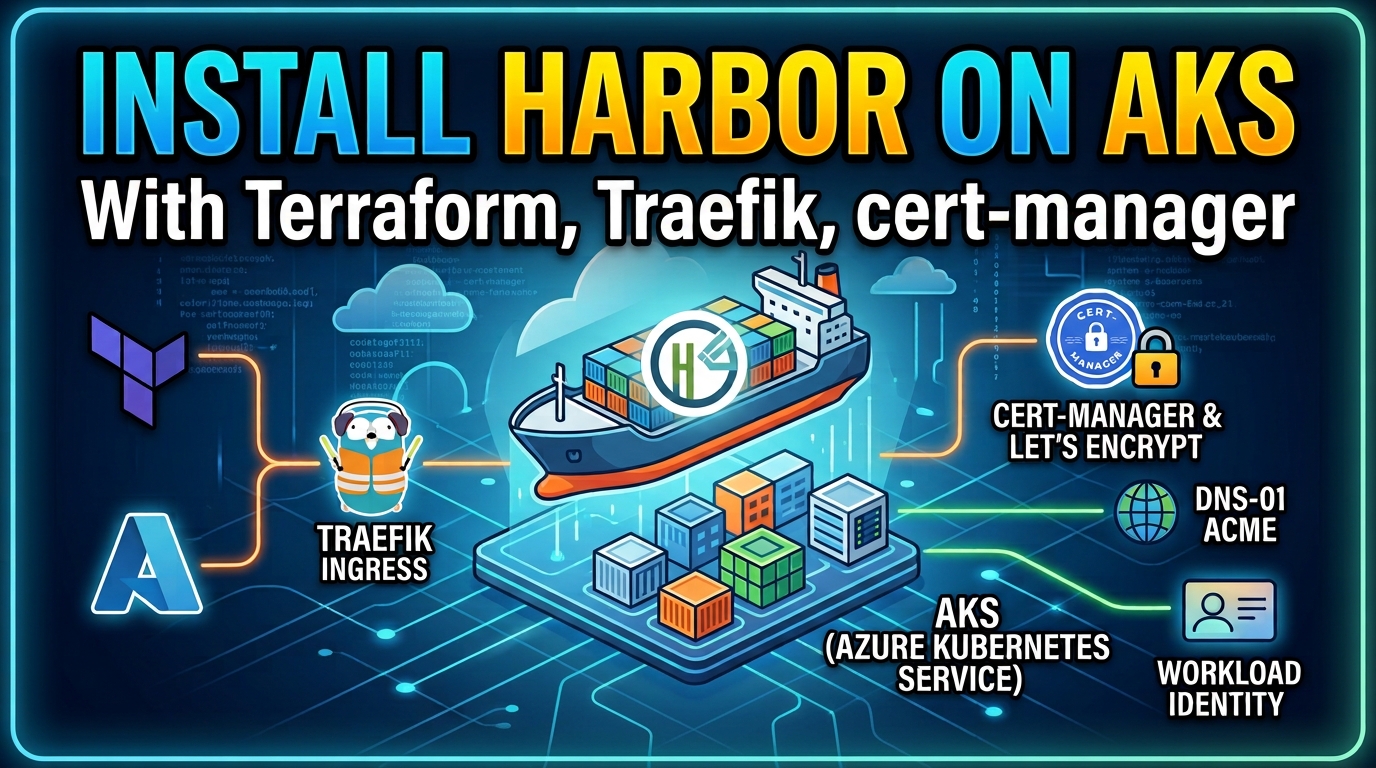
What We Are Building
flowchart TB
    User["Browser / docker CLI"] -->|HTTPS| Traefik["Traefik<br/>LoadBalancer Service"]

    subgraph AKS["AKS Cluster (Workload Identity + OIDC issuer)"]
        Traefik --> IngressRoute["Traefik IngressRoute<br/>+ redirect/HSTS Middleware"]
        IngressRoute --> HarborCore["harbor-core (ClusterIP, HTTP only)"]
        CertManager["cert-manager<br/>(Workload Identity, no secret)"] -.->|issues| Cert["harbor-tls Certificate"]
        Cert --> IngressRoute
        Forwarder["harbor-audit-forwarder<br/>(Fluent Bit)"]
        HarborCore -->|audit syslog :10514| Forwarder
        HarborCore --> HarborSvc["registry / jobservice / portal / trivy<br/>internal Postgres + Redis"]
        HarborSvc --> PV["managed-csi<br/>Persistent Volumes"]
        AmaLogs["ama-logs DaemonSet"]
        AmaMetrics["ama-metrics<br/>(managed Prometheus)"]
        Forwarder -->|stdout| AmaLogs
        HarborSvc -->|/metrics| AmaMetrics
    end

    CertManager -->|DNS-01| AzureDNS[("Azure DNS Zone<br/>(existing)")]
    Traefik -.->|A record| AzureDNS
    AmaLogs --> LAW[("Log Analytics")]
    AmaMetrics --> AMW[("Azure Monitor Workspace")] --> Grafana[("Azure Managed Grafana")]
The end state:
- An AKS cluster provisioned with Terraform — not a single long-lived
az aks create— with Workload Identity and an OIDC issuer enabled, plus Container Insights and managed Prometheus wired in at creation time. - Traefik as the ingress controller, exposed through an Azure
LoadBalancerService, routing to Harbor withIngressRoute/Middlewarecustom resources rather than a plainIngress. - cert-manager issuing a Let’s Encrypt production certificate through an Azure DNS DNS-01 solver, authenticated with Azure Workload Identity — no client secret stored anywhere.
- An existing Azure DNS zone (this post does not create or delegate one) that already receives the automated A record for Harbor’s hostname.
- Harbor installed via the official Helm chart as an internal
ClusterIPservice (TLS terminates at Traefik, not Harbor), persisted on the AKSmanaged-csistorage class, with its audit-log forwarder and Azure-nativeServiceMonitordeployed as part of the same install.
Prerequisites
Before starting, make sure you have:
- An Azure subscription with quota for at least 2–4 general-purpose VM nodes, and the Azure CLI installed and logged in (
az login). - An existing Azure DNS zone (for example
example.com) that is already delegated to Azure DNS — i.e. your domain registrar’s NS records already point at it. This post only adds an A record to that zone; it does not create or delegate one. - Terraform ≥ 1.6.0,
kubectl,helm≥ 3.8, andenvsubst(part ofgettext) installed locally. - Familiarity with basic Helm chart
values.yamloverrides and Terraformplan/apply.
Step 1: Provision Azure Infrastructure with Terraform
Rather than a single long-lived az aks create, the reference repo provisions everything with Terraform: the AKS cluster (with Workload Identity and an OIDC issuer enabled), a Log Analytics workspace, an Azure Monitor workspace with its Data Collection Rule for managed Prometheus, an Azure Managed Grafana instance, and the user-assigned identity + federated credential + DNS Zone Contributor role assignment that cert-manager will use in Step 3. It reads your existing Azure DNS zone as a data source — it never creates or deletes that zone.
Copy the example variables file and fill in your own DNS zone and ACME contact email:
cp terraform/terraform.tfvars.example terraform/terraform.tfvars# terraform.tfvars
dns_zone_name = "example.com"
dns_zone_resource_group = "rg-dns-zones"
acme_email = "you@example.com"
harbor_subdomain = "harbor-demo" # -> harbor-demo.example.com
project = "harbor"
environment = "demo"
location = "northeurope"Then provision the infrastructure:
terraform -chdir=terraform init -input=false
terraform -chdir=terraform apply -auto-approve
This creates, among other things: the resource group and AKS cluster, Log Analytics workspace, Azure Monitor workspace + Grafana, and a generated (never-committed) Harbor admin password. Fetch the cluster credentials and a couple of outputs you will need shortly:
RESOURCE_GROUP="$(terraform -chdir=terraform output -raw resource_group_name)"
CLUSTER_NAME="$(terraform -chdir=terraform output -raw cluster_name)"

az aks get-credentials \
  --resource-group "$RESOURCE_GROUP" \
  --name "$CLUSTER_NAME" \
  --overwrite-existing

kubectl get storageclass
You should see managed-csi marked (default) — Harbor’s PVCs will use it in Step 5.
Step 2: Install the Traefik Ingress Controller
Add the Traefik Helm repository and install a pinned version into its own namespace, exposed through an Azure LoadBalancer Service:
helm repo add traefik https://traefik.github.io/charts
helm repo update

helm upgrade --install traefik traefik/traefik \
  --version 34.4.1 \
  --namespace traefik --create-namespace \
  --wait --timeout 5m
Wait for Azure to assign a public IP to the Traefik Service, then capture it — you will need it for the Azure DNS record in Step 8:
kubectl get svc traefik -n traefik --watchTRAEFIK_IP="$(kubectl get svc traefik -n traefik \
-o jsonpath='{.status.loadBalancer.ingress[0].ip}')"
echo "$TRAEFIK_IP"Step 3: Install cert-manager with Workload Identity and an Azure DNS ClusterIssuer
cert-manager needs to prove ownership of your domain to Let’s Encrypt. Rather than an HTTP-01 challenge routed through the ingress (which needs DNS to already resolve to the cluster), this setup uses a DNS-01 challenge against Azure DNS, authenticated through Azure Workload Identity — no client secret is stored in the cluster or in Git.
Install cert-manager with its CRDs, wiring its ServiceAccount to the cert_manager_client_id Terraform output from Step 1:
helm repo add jetstack https://charts.jetstack.io
helm repo update

CERT_MANAGER_CLIENT_ID="$(terraform -chdir=terraform output -raw cert_manager_client_id)"

helm upgrade --install cert-manager jetstack/cert-manager \
  --version v1.16.2 \
  --namespace cert-manager --create-namespace \
  --set crds.enabled=true \
  --set "serviceAccount.annotations.azure\.workload\.identity/client-id=$CERT_MANAGER_CLIENT_ID" \
  --set-string "podLabels.azure\.workload\.identity/use=true" \
  --wait --timeout 5m

kubectl -n cert-manager rollout status deployment/cert-manager-webhook --timeout=120s
Create a ClusterIssuer that solves the challenge via Azure DNS, using the same identity Terraform granted DNS Zone Contributor on your zone. Render it from the Terraform outputs (this mirrors cluster-issuer.yaml.tpl + envsubst in the reference repo):
apiVersion: cert-manager.io/v1
kind: ClusterIssuer
metadata:
  name: letsencrypt-prod
spec:
  acme:
    server: https://acme-v02.api.letsencrypt.org/directory
    email: ${ACME_EMAIL}
    privateKeySecretRef:
      name: letsencrypt-prod-account-key
    solvers:
      - dns01:
          azureDNS:
            subscriptionID: ${SUBSCRIPTION_ID}
            resourceGroupName: ${DNS_ZONE_RESOURCE_GROUP}
            hostedZoneName: ${DNS_ZONE_NAME}
            environment: AzurePublicCloud
            managedIdentity:
              clientID: ${CERT_MANAGER_CLIENT_ID}
export SUBSCRIPTION_ID="$(terraform -chdir=terraform output -raw subscription_id)"
export DNS_ZONE_NAME="$(terraform -chdir=terraform output -raw dns_zone_name)"
export DNS_ZONE_RESOURCE_GROUP="$(terraform -chdir=terraform output -raw dns_zone_resource_group)"
export ACME_EMAIL="$(terraform -chdir=terraform output -raw acme_email)"
export CERT_MANAGER_CLIENT_ID
envsubst < kubernetes-manifests/cluster-issuer.yaml.tpl | kubectl apply -f -
kubectl get clusterissuer letsencrypt-prodThe ClusterIssuer should report Ready: True — RBAC propagation for the new role assignment can take 30–90 seconds, so a first attempt showing an Azure DNS 403 is usually just a timing issue.
Step 4: Deploy the Harbor Namespace and Audit-Log Forwarder
This step has to happen before Harbor is installed, not after. Harbor’s core container is configured (in Step 5) to forward audit events to harbor-audit-forwarder.harbor.svc.cluster.local:10514 — if that Service doesn’t exist and isn’t Ready yet, core fails its startup checks and the pod sits in CrashLoopBackOff.
kubectl apply -f kubernetes-manifests/namespace.yaml
kubectl apply -f kubernetes-manifests/audit-log-forwarder.yaml
kubectl -n harbor rollout status deployment/harbor-audit-forwarder --timeout=180s
The forwarder itself is a small Fluent Bit sidecar that re-emits Harbor’s audit syslog stream to stdout, where Azure Monitor Container Insights (ama-logs) picks it up and ships it to Log Analytics as ContainerLogV2. The Harbor Audit Logs in Azure Log Analytics post covers the forwarder’s manifest, the Container Insights configuration, and the KQL to query the result in detail — apply azure-config/monitoring/container-azm-ms-agentconfig.yaml from the reference repo alongside it if you haven’t already enabled stdout collection with harbor included.
Step 5: Install Harbor via Helm
Harbor is installed as an internal ClusterIP Service — Traefik terminates TLS in Step 6, so Harbor itself only needs to speak plain HTTP. Persistence uses the AKS managed-csi storage class explicitly (rather than an empty/default storageClass), and updateStrategy: Recreate avoids a managed-csi gotcha: Azure Disk only supports ReadWriteOnce, so a RollingUpdate would leave the new registry/jobservice pod stuck in ContainerCreating waiting for the old pod’s volume to detach.
updateStrategy:
  type: Recreate

expose:
  type: clusterIP
  tls:
    enabled: false
  clusterIP:
    name: harbor
    ports:
      httpPort: 80
      httpsPort: 443

externalURL: https://${HARBOR_FQDN}

internalTLS:
  enabled: false

persistence:
  enabled: true
  resourcePolicy: 'keep'
  persistentVolumeClaim:
    registry:
      storageClass: managed-csi
      size: 50Gi
      accessMode: ReadWriteOnce
    database:
      storageClass: managed-csi
      size: 5Gi
      accessMode: ReadWriteOnce
    redis:
      storageClass: managed-csi
      size: 1Gi
      accessMode: ReadWriteOnce
    trivy:
      storageClass: managed-csi
      size: 5Gi
      accessMode: ReadWriteOnce
    jobservice:
      jobLog:
        storageClass: managed-csi
        size: 1Gi
        accessMode: ReadWriteOnce

# Azure Monitor managed Prometheus scrapes Harbor via its own ServiceMonitor
# (Step 7, azmonitoring.coreos.com/v1). Keep the chart's own ServiceMonitor
# disabled — it uses monitoring.coreos.com/v1, which Azure Monitor ignores.
metrics:
  enabled: true
  serviceMonitor:
    enabled: false

core:
  configureUserSettings: |
    {
      "project_creation_restriction": "adminonly",
      "token_expiration": 30,
      "session_timeout": 60,
      "robot_name_prefix": "robot$",
      "robot_token_duration": 30,
      "read_only": false,
      "notification_enable": true,
      "scanner_skip_update_pulltime": true,
      "audit_log_forward_endpoint": "harbor-audit-forwarder.harbor.svc.cluster.local:10514",
      "disabled_audit_log_event_types": "",
      "skip_audit_log_database": false
    }

trivy:
  enabled: true

database:
  type: internal

redis:
  type: internal
Render ${HARBOR_FQDN} from the Terraform output, helm lint the pinned chart against the rendered values, then install:
export HARBOR_FQDN="$(terraform -chdir=terraform output -raw harbor_fqdn)"
HARBOR_ADMIN_PASSWORD="$(terraform -chdir=terraform output -raw harbor_admin_password)"

envsubst < kubernetes-manifests/harbor-values.yaml.tpl > harbor-values.yaml

helm repo add harbor https://helm.goharbor.io
helm repo update
helm pull harbor/harbor --version 1.19.2 --untar --untardir .rendered

helm lint .rendered/harbor \
  --namespace harbor \
  -f harbor-values.yaml \
  --set-string harborAdminPassword="$HARBOR_ADMIN_PASSWORD"

helm upgrade --install harbor harbor/harbor \
  --version 1.19.2 \
  --namespace harbor \
  -f harbor-values.yaml \
  --set-string harborAdminPassword="$HARBOR_ADMIN_PASSWORD" \
  --wait --timeout 10m
The admin password comes from Terraform’s random_password resource (Step 1) — it’s marked sensitive and is never written to a committed file, only retrieved via terraform output -raw harbor_admin_password when needed.
Step 6: Issue the TLS Certificate and Traefik Routes
With Harbor’s ClusterIP Service up, create a standalone cert-manager Certificate and the Traefik IngressRoute/Middleware resources that terminate TLS and redirect HTTP to HTTPS:
apiVersion: cert-manager.io/v1
kind: Certificate
metadata:
  name: harbor-tls
  namespace: harbor
spec:
  secretName: harbor-tls
  issuerRef:
    name: letsencrypt-prod
    kind: ClusterIssuer
  dnsNames:
    - ${HARBOR_FQDN}
  usages:
    - digital signature
- key enciphermentapiVersion: traefik.io/v1alpha1
kind: IngressRoute
metadata:
name: harbor-portal
namespace: harbor
labels:
app.kubernetes.io/name: harbor
app.kubernetes.io/component: portal
annotations:
kubernetes.io/ingress.class: traefik
spec:
entryPoints:
- websecure
routes:
- match: Host(`${HARBOR_FQDN}`)
kind: Rule
services:
- name: harbor
port: 80
middlewares:
- name: harbor-headers
tls:
secretName: harbor-tls
---
apiVersion: traefik.io/v1alpha1
kind: IngressRoute
metadata:
name: harbor-http
namespace: harbor
spec:
entryPoints:
- web
routes:
- match: Host(`${HARBOR_FQDN}`)
kind: Rule
middlewares:
- name: redirect-to-https
services:
- name: harbor
port: 80
---
apiVersion: traefik.io/v1alpha1
kind: Middleware
metadata:
name: harbor-headers
namespace: harbor
spec:
headers:
sslRedirect: true
stsSeconds: 31536000
stsIncludeSubdomains: true
stsPreload: true
forceSTSHeader: true
customRequestHeaders:
X-Forwarded-Proto: 'https'
---
apiVersion: traefik.io/v1alpha1
kind: Middleware
metadata:
name: redirect-to-https
namespace: harbor
spec:
redirectScheme:
scheme: https
permanent: trueenvsubst < kubernetes-manifests/harbor-certificate.yaml.tpl | kubectl apply -f -
envsubst < kubernetes-manifests/harbor-ingress-route.yaml.tpl | kubectl apply -f -Step 7: Apply the Azure-Native ServiceMonitor for Metrics
Harbor now exposes Prometheus metrics on its Services (metrics.enabled: true from Step 5). Apply the Azure Monitor-compatible ServiceMonitor — using the azmonitoring.coreos.com/v1 API group Azure Monitor managed Prometheus actually watches, not the OSS monitoring.coreos.com/v1 the Harbor chart would otherwise create:
kubectl apply -f kubernetes-manifests/harbor-azure-monitor-servicemonitor.yamlThe Monitoring Harbor with Azure Monitor and Azure Managed Grafana post covers building a dashboard on top of this in Azure Managed Grafana.
Step 8: Point DNS at the Ingress
Because the DNS zone already exists and Terraform granted the cert-manager identity access to it, the A record itself can be automated too — no manual DNS provider step required:
DNS_ZONE_RESOURCE_GROUP="$(terraform -chdir=terraform output -raw dns_zone_resource_group)"
DNS_ZONE_NAME="$(terraform -chdir=terraform output -raw dns_zone_name)"
HARBOR_SUBDOMAIN="$(terraform -chdir=terraform output -raw harbor_subdomain)"

az network dns record-set a create \
  --resource-group "$DNS_ZONE_RESOURCE_GROUP" \
  --zone-name "$DNS_ZONE_NAME" \
  --name "$HARBOR_SUBDOMAIN" \
  --ttl 300

az network dns record-set a add-record \
  --resource-group "$DNS_ZONE_RESOURCE_GROUP" \
  --zone-name "$DNS_ZONE_NAME" \
  --record-set-name "$HARBOR_SUBDOMAIN" \
  --ipv4-address "$TRAEFIK_IP"
This only ever touches the single A record for Harbor’s hostname — the shared zone itself is never created, modified, or deleted by this walkthrough.
Step 9: Verify the Installation
Watch the pods come up in the harbor namespace:
kubectl get pods -n harbor --watchAll components (core, portal, registry, jobservice, trivy, database, redis, plus harbor-audit-forwarder) should reach Running. Confirm the certificate finished issuing:
kubectl get certificate -n harbor
kubectl describe certificate harbor-tls -n harbor
Log in with the Terraform-generated admin password:
HARBOR_URL="https://$(terraform -chdir=terraform output -raw harbor_fqdn)"
echo "$HARBOR_URL"
# macOS: open "$HARBOR_URL" | Linux: xdg-open "$HARBOR_URL" | Windows (PowerShell): start "$HARBOR_URL"
# admin / $(terraform -chdir=terraform output -raw harbor_admin_password)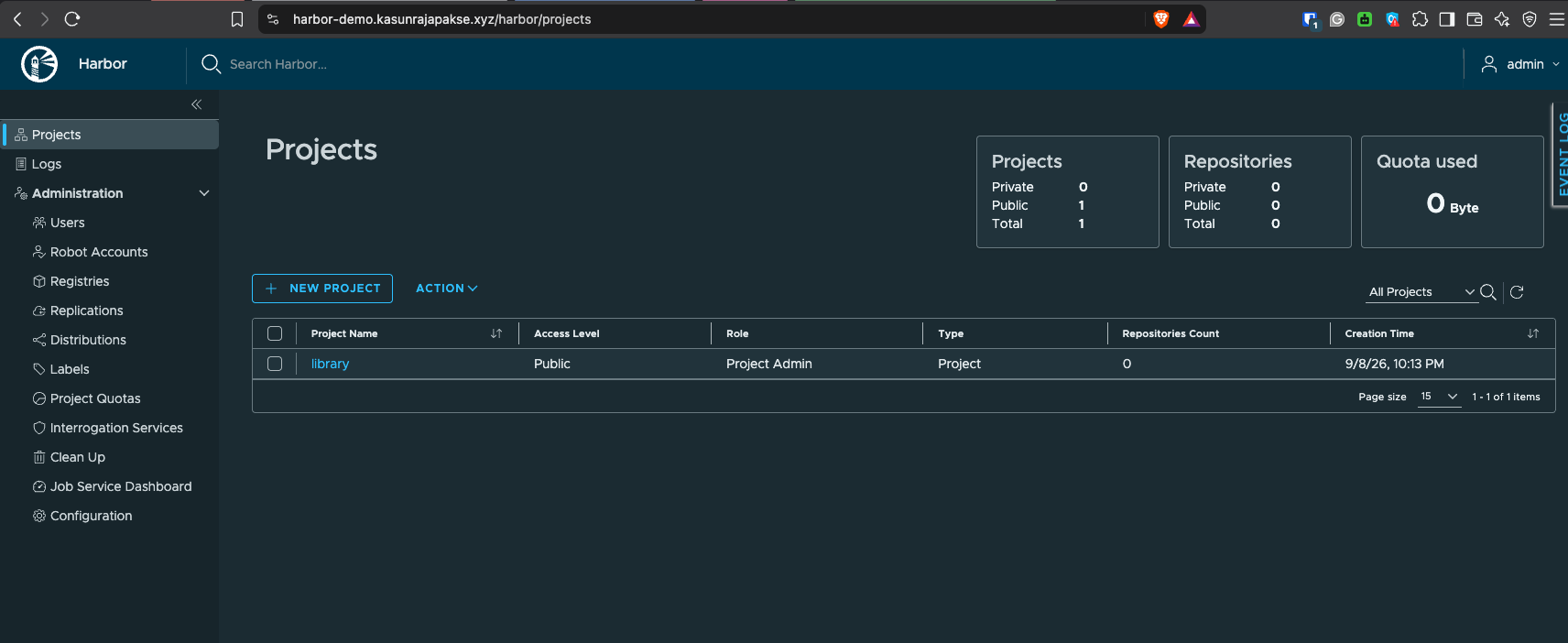
Confirm the registry itself works end to end with a real image push:
HARBOR_FQDN="$(terraform -chdir=terraform output -raw harbor_fqdn)"
docker login "$HARBOR_FQDN"

docker pull alpine:3.20
docker tag alpine:3.20 "$HARBOR_FQDN/library/alpine:3.20"
docker push "$HARBOR_FQDN/library/alpine:3.20"
Finally, confirm the two companion integrations came up correctly:
# Audit-log forwarder is receiving events (log in to Harbor at least once first)
kubectl logs deployment/harbor-audit-forwarder -n harbor --tail=20

# Azure-native ServiceMonitor exists and Azure Monitor can discover it
kubectl get servicemonitor.azmonitoring.coreos.com -n harbor
Troubleshooting
| Symptom | Likely Cause | What to Check |
|---|---|---|
harbor-core CrashLoopBackOff on first install | Audit-log forwarder wasn’t Ready before Harbor was installed | kubectl rollout status deployment/harbor-audit-forwarder -n harbor, then helm upgrade Harbor again once it’s ready |
Certificate stuck Pending | DNS-01 propagation delay, or the Workload Identity federated credential is misconfigured | kubectl describe certificate harbor-tls -n harbor, kubectl logs -n cert-manager deploy/cert-manager; confirm the federated credential subject matches system:serviceaccount:cert-manager:cert-manager |
cert-manager gets a 403 from Azure DNS | RBAC propagation delay (30–90s), or the identity is missing DNS Zone Contributor on the zone | Re-check after a minute; confirm the zone-scoped role assignment from Step 1 exists |
| Redirect loop, or Harbor reports an HTTPS backend error | Harbor-side TLS was left enabled while Traefik also terminates TLS | Confirm expose.type: clusterIP, expose.tls.enabled: false, and internalTLS.enabled: false in the rendered values |
Harbor PVCs stuck Pending | managed-csi missing, or ReadWriteOnce multi-attach during an upgrade | kubectl get storageclass; for upgrades, confirm updateStrategy.type: Recreate is set |
No audit events in ContainerLogV2 | Container Insights excludes the harbor namespace, or stdout collection is disabled | Check the cluster’s Container Insights exclude_namespaces and containerlog_schema_version settings |
harbor_up missing in Grafana | ServiceMonitor not discovered | kubectl describe servicemonitor.azmonitoring.coreos.com harbor-azure-monitor -n harbor; confirm the port name and release/app labels match the Harbor Services |
Cleanup
Uninstall the Helm releases, remove only the DNS record this walkthrough created (never the shared zone), then destroy the Terraform-managed resources:
DNS_ZONE_NAME="$(terraform -chdir=terraform output -raw dns_zone_name)"
DNS_ZONE_RESOURCE_GROUP="$(terraform -chdir=terraform output -raw dns_zone_resource_group)"
HARBOR_SUBDOMAIN="$(terraform -chdir=terraform output -raw harbor_subdomain)"

az network dns record-set a delete \
  --resource-group "$DNS_ZONE_RESOURCE_GROUP" \
  --zone-name "$DNS_ZONE_NAME" \
  --name "$HARBOR_SUBDOMAIN" \
  --yes

helm uninstall harbor -n harbor
helm uninstall cert-manager -n cert-manager
helm uninstall traefik -n traefik
kubectl delete namespace harbor cert-manager traefik --ignore-not-found

terraform -chdir=terraform destroy -auto-approve
Do not run this against a shared or production cluster without reviewing what it deletes first — the reference repo’s cleanup.sh adds a confirmation prompt before any of this runs.
Security Notes
- The Harbor admin password is generated by Terraform (
random_password), markedsensitive, and never written to a committed file — retrieve it only viaterraform output -raw harbor_admin_password. - cert-manager authenticates to Azure DNS with Workload Identity (a federated credential tied to the AKS OIDC issuer), not a client secret, and is scoped to
DNS Zone Contributoron the single DNS zone — not subscription-wide access. terraform.tfvarsshould be.gitignored; onlyterraform.tfvars.example(placeholder values) belongs in source control.
Next Steps
With Harbor installed, TLS automated, and both companion integrations already wired in during Step 4 and Step 7, the natural follow-ups are the two posts this install now feeds directly:
- Monitoring Harbor with Azure Monitor and Azure Managed Grafana — build a Grafana dashboard on top of the
ServiceMonitorapplied in Step 7. - Harbor Audit Logs in Azure Log Analytics — the full detail behind the audit-log forwarder deployed in Step 4, plus the KQL to query the result.
A further enhancement reserved (but not enabled) in the reference repo’s Terraform variables is Microsoft Entra ID OIDC single sign-on for Harbor — terraform output -raw harbor_oidc_redirect_uri already gives the exact redirect URI needed to register an app registration for a follow-up post.
Closing Thoughts
None of the individual pieces here — Terraform, an ingress controller, cert-manager, and a Helm chart — are unusual on their own. What makes a self-hosted registry practical is wiring the handoffs correctly: the audit-log forwarder has to exist before Harbor’s core container starts, the DNS-01 solver has to reach the same zone the Workload Identity was scoped to, and the ingress class has to match between Traefik and Harbor’s routes. Automate those handoffs once with Terraform and a couple of shell scripts, and helm upgrade --install harbor on top of them becomes routine — repeatable the same way every time, including in a disposable demo cluster.