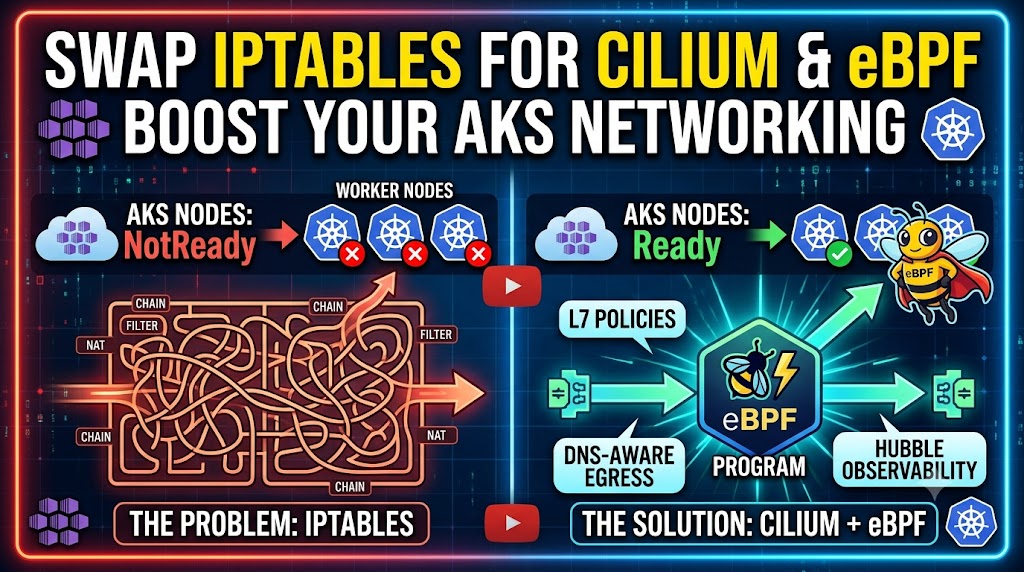

AKS already provides supported networking options for most clusters, including Azure CNI Powered by Cilium. That managed offering supplies an eBPF dataplane, kube-proxy replacement, and Cilium policy support; Advanced Container Networking Services (ACNS) adds features such as FQDN filtering, Layer 7 policy, and network observability.
So advanced policy or observability requirements do not, by themselves, justify Bring Your Own CNI (BYO CNI). The managed Cilium dataplane should usually be the first option to evaluate because Microsoft owns its integration, upgrades, and CNI support.
BYO CNI is intended for advanced users who need to own the networking implementation. Common reasons include:
- standardizing on the same CNI, version, and configuration used across on-premises, multicloud, or other Kubernetes environments
- meeting an organizational, regulatory, or industry requirement that mandates a particular vendor, validated configuration, release-pinning process, or change-control model that the managed service can’t provide
- using specialized Cilium configuration, IPAM, routing, integration, or upstream features that AKS doesn’t expose in its managed Cilium offering
- controlling the CNI release cadence, upgrade testing, and vendor support relationship directly
Compliance does not automatically require BYO CNI; many regulated workloads are better served by the supported Azure-managed option. BYO is appropriate only when a documented requirement can’t be met by Azure CNI Powered by Cilium and the team is prepared to own the dataplane lifecycle.
This post walks through that customer-managed path with Cilium: what an AKS cluster with networkPlugin: none looks like, how the eBPF dataplane is installed, and how its policy and observability features work.
Choosing Between Managed and Customer-Managed Networking
Before installing a CNI yourself, separate two decisions: whether you need Cilium’s dataplane capabilities and whether you need to manage Cilium yourself.
AKS offers several networking choices:
| Option | How it works | When to evaluate it |
|---|---|---|
| Azure CNI Overlay | Pods use a private overlay CIDR and traffic leaving the cluster is translated to the node IP | The recommended IPAM model for most AKS scenarios, especially when conserving VNet addresses matters |
| Azure CNI Pod Subnet | Pods receive addresses from a dedicated VNet subnet | Workloads need direct pod connectivity from connected networks |
| Azure CNI Powered by Cilium | Azure CNI provides IPAM while Cilium supplies the managed eBPF dataplane | Most teams that want Cilium performance, policy, and optional ACNS security or observability features |
| BYO CNI | AKS installs no CNI; you install and operate a compatible plugin | A specific CNI implementation or configuration is an explicit requirement and full lifecycle ownership is acceptable |
Standard Kubernetes NetworkPolicy is limited to L3/L4 controls. It can’t express “allow GET /health but deny everything else” or “allow HTTPS only to DNS names under *.azure.com”. Cilium can provide those richer policy primitives, but on AKS they are available through either customer-managed Cilium or, for supported features, Azure CNI Powered by Cilium with ACNS.
Likewise, eBPF-based service routing avoids the large rule sets associated with kube-proxy in iptables mode. That is a reason to evaluate a Cilium dataplane, not necessarily a reason to operate the CNI yourself.
But Wait — Doesn’t Azure Already Offer Cilium?
Yes, and it’s worth being upfront about this before going further. Azure offers a managed option called Azure CNI Powered by Cilium — you use Azure CNI for the control plane but replace the network dataplane with Cilium’s eBPF engine. You get kube-proxy replacement and L3/L4 Cilium network policies without owning any of the Cilium configuration yourself.
For a lot of teams, that’s the right starting point. Microsoft manages the Cilium version, upgrades are bundled with AKS, and there are no Helm values or node bootstrap flags to worry about.
However, after checking the official documentation there are some important nuances worth knowing before you commit to it:
IPAM is more flexible than you might expect. Azure CNI Powered by Cilium actually supports three pod IP assignment modes: overlay (pods get a private CIDR, not VNet IPs — similar to Azure CNI Overlay), a dedicated pod subnet in the VNet, or the node subnet. So the “pods always consume VNet IPs” concern is less of a blanket truth than it used to be.
The features that matter most come at an extra cost. Here’s what the docs say about which Cilium features are included and which require the paid Advanced Container Networking Services (ACNS) add-on:
| Feature | Azure CNI Powered by Cilium (base) | With ACNS add-on |
|---|---|---|
| L3/L4 Cilium Network Policies | ✅ | ✅ |
| CiliumClusterwideNetworkPolicy | ✅ | ✅ |
| kube-proxy replacement | ✅ | ✅ |
| L7 policies (HTTP/gRPC/Kafka) | ❌ | ✅ |
| FQDN egress filtering | ❌ | ✅ |
| Hubble observability (metrics + flow logs) | ❌ | ✅ |
| WireGuard encryption | ❌ | ✅ |
| Cilium config customization | Label exclusion only | Label exclusion only |
That last row is the key distinction for this walkthrough. Microsoft documents only label exclusion as a supported change to the managed cilium-config ConfigMap; changes to other values aren’t supported. If a required and validated Cilium configuration falls outside that boundary, BYO CNI lets you manage it yourself, with the corresponding support and operational responsibilities.
So the honest comparison looks like this:
| Azure CNI Powered by Cilium | BYO CNI + Cilium | |
|---|---|---|
| Pod IP assignment | Overlay, VNet subnet, or node subnet | Cilium cluster-pool (separate CIDR, no VNet IPs) |
| L7 policies + Hubble | Requires ACNS (paid add-on) | Included, fully configurable |
| FQDN egress filtering | Requires ACNS | Included |
| Cilium version control | Managed by Azure | You choose and upgrade |
| Config customization | Label exclusion only | Full Helm values |
| Upgrade path | Bundled with AKS | Manual Helm upgrade |
| Operational overhead | Lower | Higher |
If you need eBPF-based service routing and L3/L4 policy enforcement, Azure CNI Powered by Cilium is the lower-effort path. ACNS extends that managed option with L7 policy, FQDN filtering, and network observability. Choose BYO CNI only when requirements such as a mandated Cilium version, unsupported Helm configuration, specialized networking integration, or independently controlled upgrade process outweigh the loss of Microsoft CNI support and the extra operational burden. Avoid treating lower add-on cost alone as the deciding factor; account for engineering, testing, incident response, and vendor-support costs.
What eBPF Actually Is
Cilium is built on eBPF (extended Berkeley Packet Filter), which is a Linux kernel technology that lets you run custom programs inside the kernel — safely, without modifying kernel source or loading kernel modules. You write a small program, the kernel verifies it can’t crash or loop forever, and then it runs directly in the network path.
The result is a dataplane that operates in kernel space with near-zero overhead, has access to the full packet and connection context, and can be updated incrementally — swapping out a single eBPF map entry rather than reloading a large iptables ruleset.
Here’s how the two approaches compare in practice:
| Capability | Traditional kube-proxy in iptables mode | Cilium (eBPF) |
|---|---|---|
| Dataplane | Linear iptables rule traversal | eBPF programs compiled into kernel |
| Policy granularity | L3/L4 (IP + port) only | L3, L4, L7 (HTTP/gRPC/Kafka) |
| DNS-aware egress | Not possible | FQDN-based filtering |
| Network observability | Limited (conntrack) | Hubble — per-flow visibility with labels |
| kube-proxy replacement | No | Full kube-proxy replacement via eBPF |
| Transparent encryption | Not provided by standard NetworkPolicy | WireGuard or IPsec when explicitly configured |
| Cluster-wide policies | No (namespace-scoped only) | CiliumClusterwideNetworkPolicy |
| Policy change impact | Service/policy implementation dependent | Incremental eBPF policy updates |
The observability row is one of Cilium’s strongest capabilities. Hubble hooks into the eBPF datapath and provides flow visibility with Kubernetes metadata attached — namespace, pod name, labels, and, when L7 visibility is enabled, HTTP details — with zero changes to application pods. On AKS, teams can obtain managed network observability through ACNS or operate Hubble themselves with BYO CNI; the required ownership model should drive that choice.
BYO CNI: What It Means in Practice
When you create an AKS cluster with networkPlugin: none, the Azure control plane provisions the API server and worker nodes, but deliberately installs no CNI plugin. The result is a cluster that is structurally complete but functionally broken from a networking standpoint:
- Nodes sit in
NotReadystate — the kubelet is running, but the CNI health check fails because there’s no CNI config to find - Normal application pods and system pods that need pod networking can’t start
- Host-networked DaemonSets with the required
NotReadytolerations, includingkube-proxy, can still be scheduled
This is intentional, not a bug. The cluster is waiting for you to install the CNI of your choice.
⚠️ Know the support boundary before you commit. BYO CNI itself is generally available on AKS, but the official documentation is explicit that “Microsoft support can’t assist with CNI-related issues in clusters that you deploy by bringing your own CNI plugin.” That covers most east-west (pod-to-pod) traffic and things like
kubectl proxy. Microsoft still supports everything that isn’t CNI-related, but for the network dataplane itself you’re relying on the Cilium community or a commercial Cilium vendor (Isovalent). If that trade-off is unacceptable for your workloads, Azure CNI Powered by Cilium is the fully-supported alternative — it’s the same eBPF engine with Microsoft owning the support contract.
graph TB
    RG["Resource Group<br/>rg-byocni-cilium-demo"]

    subgraph VNet["Virtual Network + AKS Subnet 10.0.0.0/16"]
        AKS["AKS Cluster<br/>networkPlugin = none"]
        SYS["System Pool<br/>D2s_v3 x2, AzureLinux3<br/>CriticalAddonsOnly:NoSchedule"]
        USR["User Pool<br/>D4s_v3 x2, AzureLinux3"]
        AKS --> SYS
        AKS --> USR
    end

    subgraph Cilium["Cilium eBPF Dataplane via Helm"]
        DS["cilium DaemonSet<br/>eBPF programs + CNI config"]
        CO["cilium-operator<br/>IPAM pod CIDR allocation"]
        HR["hubble-relay"]
        HUI["hubble-ui"]
    end

    LA["Log Analytics<br/>Container Insights"]

    RG --> VNet
    RG --> Cilium
    RG --> LA
    SYS -.-> DS
    USR -.-> DS
    CO -.-> SYS
    CO -.-> USR
Once Cilium is installed, every node transitions from NotReady to Ready within a minute or two. From that point the cluster behaves normally, except the entire network dataplane is eBPF-based — no iptables for service routing or policy enforcement. One nuance worth flagging: AKS still deploys its own managed kube-proxy DaemonSet regardless of networkPlugin: none or kubeProxyReplacement=true — removing it requires an explicit extra step, covered later in this post.
The Infrastructure: What Bicep Actually Builds
The demo repository uses Bicep to provision everything reproducibly. Three modules deploy in parallel where they can:
main.bicep
  │
  ├─► modules/log-analytics.bicep   (no dependencies)
  │     └── Log Analytics Workspace + Container Insights
  │
  ├─► modules/vnet.bicep            (no dependencies)
  │     └── Virtual Network 10.0.0.0/16
  │           └── aks-subnet 10.0.0.0/16
  │
  └─► modules/aks.bicep             (depends on vnet + log-analytics outputs)
        └── ManagedCluster
              ├── networkProfile.networkPlugin = "none"   ← the key flag
              ├── networkProfile.podCidr       = 10.244.0.0/16
              ├── networkProfile.serviceCidr   = 10.2.0.0/16
              ├── networkProfile.dnsServiceIP  = 10.2.0.10
              ├── kubernetesVersion            1.36 (latest available patch)
              ├── agentPoolProfiles[system]    Standard_D2s_v3 ×2, AzureLinux3
              └── agentPoolProfiles[userpool]  Standard_D4s_v3 ×2, AzureLinux3
The critical line is networkPlugin: none. That’s the entire BYO CNI configuration from Bicep’s perspective — one property on the networkProfile object. Everything after that is Helm.
The system pool carries the CriticalAddonsOnly=true:NoSchedule taint, which reserves it for workloads with the matching toleration. CoreDNS and other critical add-ons can run there, while ordinary application workloads are directed to the user pool. Cilium itself is a DaemonSet and runs on every node, including user-pool nodes.
Network Address Planning
One thing worth being deliberate about before you deploy: the CIDR ranges. The pod CIDR is managed entirely by Cilium’s cluster-pool IPAM — pods never get Azure VNet IPs. That’s one of the main advantages over Azure CNI: you’re not burning VNet address space for pod IPs.
| Range | Value | Purpose |
|---|---|---|
| VNet address space | 10.0.0.0/16 | Azure Virtual Network |
| AKS node subnet | 10.0.0.0/16 | Node NICs get IPs from here |
| Pod CIDR | 10.244.0.0/16 | Cilium cluster-pool IPAM (one /24 per node) |
| Service CIDR | 10.2.0.0/16 | Kubernetes ClusterIP services |
| DNS service IP | 10.2.0.10 | CoreDNS ClusterIP |
Cilium’s operator allocates one /24 block from 10.244.0.0/16 to each node as it joins. A /24 gives you 254 pod IPs per node, and the /16 pool supports up to 256 nodes. For larger clusters you’d want a wider pod CIDR — but for this demo it’s more than enough.
Installing Cilium: The Helm Values That Actually Matter
Once the Bicep deployment finishes — nodes sitting in NotReady, as expected — install the Gateway API CRDs before Cilium because this configuration enables Cilium’s Gateway API controller. Cilium 1.20 requires Gateway API v1.6.1, and the upstream project recommends server-side apply for these large CRDs.
GATEWAY_API_BASE=https://raw.githubusercontent.com/kubernetes-sigs/gateway-api/v1.6.1/config/crd/standard
for crd in \
  gateway.networking.k8s.io_gatewayclasses.yaml \
  gateway.networking.k8s.io_gateways.yaml \
  gateway.networking.k8s.io_httproutes.yaml \
  gateway.networking.k8s.io_referencegrants.yaml \
  gateway.networking.k8s.io_grpcroutes.yaml \
  gateway.networking.k8s.io_backendtlspolicies.yaml \
  gateway.networking.k8s.io_tlsroutes.yaml; do
  kubectl apply --server-side -f "$GATEWAY_API_BASE/$crd"
done
Then install Cilium. The version is pinned for reproducibility; check the Cilium upgrade notes before changing it.
helm repo add cilium https://helm.cilium.io
helm repo update

CLUSTER_API_SERVER_FQDN="your-cluster-api-server-fqdn"

helm upgrade cilium cilium/cilium \
  --version 1.20.1 \
  --install \
  --namespace kube-system \
  --set aksbyocni.enabled=true \
  --set nodeinit.enabled=true \
  --set hubble.relay.enabled=true \
  --set hubble.ui.enabled=true \
  --set hubble.metrics.enableOpenMetrics=true \
  --set hubble.metrics.enabled="{dns,drop,tcp,flow,port-distribution,icmp,httpV2:exemplars=true;labelsContext=source_ip\,source_namespace\,source_workload\,destination_ip\,destination_namespace\,destination_workload\,traffic_direction}" \
  --set ipam.mode=cluster-pool \
  --set ipam.operator.clusterPoolIPv4PodCIDRList="{10.244.0.0/16}" \
  --set kubeProxyReplacement=true \
  --set k8sServiceHost="${CLUSTER_API_SERVER_FQDN}" \
  --set k8sServicePort=443 \
  --set devices="{eth0}" \
  --set l2announcements.enabled=true \
  --set ingressController.enabled=true \
  --set gatewayAPI.enabled=true
There are a few values here that aren’t obvious at first glance, so let me explain the ones that matter:
aksbyocni.enabled=true — This is the AKS-specific flag that every Cilium-on-AKS install needs. Without it, Cilium agents fail to start on Azure VMs because they don’t handle Azure-specific node bootstrap: setting up routes, interface naming, and pulling cloud metadata. You will not get a helpful error message if you forget this. The agents just won’t come up.
nodeinit.enabled=true — Deploys the cilium-node-init DaemonSet, which runs before the main Cilium agent on each node. It mounts the BPF filesystem, clears stale CNI state, and sets up any required kernel parameters. Think of it as the setup crew that runs ahead of the main act.
hubble.metrics.enabled=... — Explicitly enables Hubble metric families (DNS, drops, TCP, flow, ICMP, and HTTP) and attaches useful source/destination label context for scraping systems. This is what makes the Hubble metrics export genuinely useful once you wire it to Prometheus.
kubeProxyReplacement=true — This is the big one. It tells Cilium to handle all service routing — ClusterIP, NodePort, LoadBalancer — via eBPF instead of kube-proxy. Service lookups happen in kernel space, and because eBPF maps support O(1) lookups (unlike iptables traversal), the overhead per connection is dramatically lower as service count grows. Note this flag alone does not remove the kube-proxy pods — AKS deploys and reconciles its own managed kube-proxy DaemonSet independently of this Helm chart. Actually removing it is a separate step (see “kube-proxy Removal” below).
k8sServiceHost / k8sServicePort — The AKS API server’s FQDN and port (443), resolved via az aks show --query "fqdn || privateFqdn". This is required once you actually remove kube-proxy: without it, the in-cluster kubernetes ClusterIP that agents use to reach the API server is itself routed by kube-proxy, so agents need a direct, kube-proxy-independent path to the control plane.
ipam.mode=cluster-pool — Cilium’s operator manages pod IP allocation from a central pool, rather than delegating to Azure IPAM. This is what keeps pod IPs out of your VNet address space. Each node gets a /24 slice carved from 10.244.0.0/16.
devices="{eth0}" — Tells Cilium which network interface to attach its eBPF programs to. Azure VMs use eth0 as the primary NIC. Get this wrong and Cilium will install fine but drop packets in confusing ways.
gatewayAPI.enabled=true — Cilium acts as a native Gateway API controller, creating a GatewayClass called cilium. This means you can use standard Gateway and HTTPRoute resources for ingress without a separate controller.
What Happens During Installation
Understanding the sequence helps when something goes wrong. The deploy.sh script in the repo manages all of this, but here’s what’s actually happening step by step:
deploy.sh
  │
  ├─ 1. check_prerequisites     (az, helm, kubectl present)
  ├─ 2. create_resource_group   (az group create)
  ├─ 3. deploy_bicep            (az deployment group create)  ← ~10–15 min
  │       └── Nodes appear in NotReady state
  ├─ 4. get_outputs             (az deployment group show)
  ├─ 5. configure_aks_access    (az aks get-credentials)
  ├─ 6. wait_for_nodes          (poll kubectl get nodes ≥2)
  ├─ 7. install_gateway_api_crds (server-side apply Gateway API v1.6.1 CRDs)
  ├─ 8. install_cilium          (helm upgrade --install, k8sServiceHost = API server FQDN)
  │       └── Nodes transition to Ready
  ├─ 9. wait_for_cilium         (rollout status cilium, operator, hubble-relay)
  ├─ 10. verify_nodes           (poll until NotReady count = 0)
  ├─ 11. disable_kube_proxy     (AKS preview: az aks update --kube-proxy-config kube-proxy.json)
  │       └── kube-proxy DaemonSet removed, Cilium eBPF handles all service routing
  └─ 12. display_summary
Inside step 7, the node bootstrap follows this sequence for each worker node:
cilium-node-initruns first, mounting BPF filesystem and clearing stale state- The
ciliumDaemonSet pod starts, loads eBPF programs ontoeth0, and creates thecilium0virtual device - Cilium writes
/etc/cni/net.d/05-cilium.conf— this is the moment the kubelet CNI health check passes - The node transitions to
Ready cilium-operatorassigns a/24pod CIDR from the pool to the node
Steps 3 and 4 are the important ones. The node isn’t ready until Cilium writes that CNI config file. If you’re watching kubectl get nodes -w during installation, you’ll see NotReady for a minute or two per node, then they all flip over to Ready in quick succession.
⚠️ If nodes stay
NotReadylonger than you’d expect, check the Cilium agent directly withcilium statusandkubectl -n kube-system logs -l app.kubernetes.io/name=cilium-agent. The agent logs will tell you whether it successfully wrote the CNI config and came up healthy.
Phase 5 — Actually Removing kube-proxy
Here’s the part that’s easy to miss: even with networkPlugin: none and kubeProxyReplacement=true, AKS still deploys its own managed kube-proxy DaemonSet into kube-system. It’s reconciled by the AKS addon manager (addonmanager.kubernetes.io/mode: Reconcile), so kubectl delete daemonset kube-proxy only works until the addon manager notices and puts it right back. The persistent removal path is the cluster-level kube-proxy configuration. As of September 2026, this remains an AKS preview feature: it is excluded from the AKS SLA, receives only best-effort support, and Microsoft says preview features aren’t intended for production use.
cat > kube-proxy.json <<'EOF'
{"enabled": false}
EOF

az aks update \
  --resource-group rg-byocni-cilium-demo \
  --name byocni-aks-dev \
  --kube-proxy-config kube-proxy.json

rm kube-proxy.json
This requires the KubeProxyConfigurationPreview feature flag and the aks-preview CLI extension — deploy.sh registers/installs both automatically if they’re missing, then waits for the DaemonSet to disappear and restarts the Cilium agents so eBPF service maps take over all routing. For production, keep this support limitation in the same risk assessment as the BYO CNI support boundary.
Verify it actually happened:
kubectl -n kube-system get ds kube-proxy                                                 # NotFound
kubectl -n kube-system exec ds/cilium -- cilium-dbg status | grep KubeProxyReplacement    # True
I ran this end-to-end against a live cluster: after the update, the kube-proxy DaemonSet was gone, KubeProxyReplacement reported True, and service routing, DNS, and API server connectivity all kept working without a single kube-proxy pod anywhere in the cluster.
Getting Started
If you want to run this yourself, here’s the short version:
Prerequisites: Azure CLI (Microsoft documents v2.39.0+ for BYO CNI; use a current release), Helm v3, kubectl, and optionally the Cilium CLI and Hubble CLI (the install-cli-tools.sh script in the repo handles those two). The demo currently targets AKS Kubernetes 1.36 with Azure Linux 3; confirm regional availability with az aks get-versions --location "${AKS_REGION}" --output table before deploying.
AKS_REGION="eastus"
az aks get-versions --location "${AKS_REGION}" --output table
# Clone the repo
git clone https://github.com/kasunsjc/Code-Snippets.git
cd Code-Snippets/BYO-CNI-AKS
# Install Cilium CLI and Hubble CLI
chmod +x install-cli-tools.sh && ./install-cli-tools.sh
# Deploy everything (infrastructure + Cilium)
chmod +x deploy.sh && ./deploy.shThe deploy.sh script handles all twelve steps above, including the kube-proxy removal. It will take around 15–20 minutes end to end, most of which is waiting for the AKS control plane to come up.
Once the cluster is ready, deploy the sample apps:
chmod +x sample-apps/deploy-samples.sh
./sample-apps/deploy-samples.sh
This drops a 3-tier demo app (frontend, backend-api, database) into the cilium-demo namespace and applies the base L3/L4 network policies. The test script will verify everything is wired up correctly:
chmod +x sample-apps/test-policies.sh
./sample-apps/test-policies.sh
Network Policies: From Simple to Surgical
This is where Cilium actually earns its complexity. The sample-apps directory includes six progressive policy examples, each building on the previous.
L3/L4: The Baseline
The first two policies are equivalent to standard Kubernetes NetworkPolicy, just enforced via eBPF instead of iptables. 02-cilium-l3-l4-policy.yaml allows only frontend pods to reach backend-api on port 80. 03-cilium-database-policy.yaml adds the next tier — only backend-api can talk to database. Everything else is implicitly denied.
These are the policies you’d write in any CNI. What makes them nicer in Cilium is that they’re enforced in kernel space, so there’s no rule recompilation overhead when policy counts grow.
Verify 02-cilium-l3-l4-policy.yaml + 03-cilium-database-policy.yaml:
FRONTEND=$(kubectl -n cilium-demo get pod -l app=frontend -o jsonpath='{.items[0].metadata.name}')
BACKEND=$(kubectl -n cilium-demo get pod -l app=backend-api -o jsonpath='{.items[0].metadata.name}')

# Expected: success (frontend -> backend-api allowed)
kubectl -n cilium-demo exec "$FRONTEND" -- wget -qO- --timeout=5 http://backend-api

# Expected: fail/timeout (frontend -> database denied)
kubectl -n cilium-demo exec "$FRONTEND" -- wget -qO- --timeout=5 http://database

# Expected: success (backend-api -> database allowed)
kubectl -n cilium-demo exec "$BACKEND" -- wget -qO- --timeout=5 http://database
L7: Where Things Get Interesting
04-cilium-l7-policy.yaml restricts which HTTP methods and paths are allowed through, not just which ports:
apiVersion: cilium.io/v2
kind: CiliumNetworkPolicy
metadata:
  name: backend-api-l7-policy
  namespace: cilium-demo
spec:
  endpointSelector:
    matchLabels:
      app: backend-api
  ingress:
    - fromEndpoints:
        - matchLabels:
            app: frontend
      toPorts:
        - ports:
            - port: "80"
              protocol: TCP
          rules:
            http:
              - method: GET
                path: "/api/.*"
              - method: POST
                path: "/api/.*"
              - method: GET
                path: "/health"
A POST to /admin from frontend? Rejected with HTTP 403 before it reaches the application. No code change, no WAF, and no sidecar in each application pod. eBPF redirects matching traffic to Cilium’s managed Envoy proxy, where the userspace L7 inspection occurs; allowed traffic then returns to the datapath.
Important detail: this policy is attached to the destination (endpointSelector: app=backend-api) and controls ingress into backend-api. That is why verification traffic is generated from frontend and sent to backend-api.
⚠️ Cilium policies are additive, not replacing. If
02-cilium-l3-l4-policy.yaml(which allows all traffic fromfrontendtobackend-apion port 80, any path) is still applied when you add the L7 policy, the two are combined with OR logic — Cilium allows a request if any applicable policy allows it. The broader L3/L4 allow wins, and the L7 path restriction never actually takes effect. I confirmed this on a live cluster: with both policies present,GET /adminreturned404instead of the expected403. Delete the L3/L4 policy first so only the L7 rule applies:kubectl delete -f sample-apps/02-cilium-l3-l4-policy.yaml kubectl apply -f sample-apps/04-cilium-l7-policy.yaml
Verify 04-cilium-l7-policy.yaml:
FRONTEND=$(kubectl -n cilium-demo get pod -l app=frontend -o jsonpath='{.items[0].metadata.name}')
BACKEND=$(kubectl -n cilium-demo get pod -l app=backend-api -o jsonpath='{.items[0].metadata.name}')

# Confirm the policy target is backend-api (destination selector)
kubectl -n cilium-demo get cnp backend-api-l7-policy -o jsonpath='{.spec.endpointSelector.matchLabels.app}{"\n"}'

# Expected: policy allows the request (HTTP status is NOT 403; often 200 or 404)
kubectl -n cilium-demo exec "$FRONTEND" -- wget -qSO- --timeout=5 http://backend-api/health 2>&1 | head -20

# Expected: policy allows the request (HTTP status is NOT 403; often 200 or 404)
kubectl -n cilium-demo exec "$FRONTEND" -- wget -qSO- --timeout=5 http://backend-api/api/users 2>&1 | head -20

# Expected: HTTP 403 (path not allowed by L7 rule)
kubectl -n cilium-demo exec "$FRONTEND" -- wget -qSO- --timeout=5 http://backend-api/admin 2>&1 | head -20

# Expected: fail/timeout (backend-api source is NOT in allowed fromEndpoints)
kubectl -n cilium-demo exec "$BACKEND" -- wget -qSO- --timeout=5 http://backend-api/health 2>&1 | head -20
Because this demo uses a simple nginx:alpine backend, allowed paths can still return 404 Not Found from the application itself. For L7 policy validation, the key signal is:
- Allowed path => not 403
- Disallowed path => 403 Forbidden
One gotcha worth repeating: Cilium network policies for the same endpoint are combined additively (OR), not by precedence — an L7 policy does not automatically override or replace an L3/L4 policy on the same selector. If you want the L7 restriction to actually be enforced, remove the broader L3/L4 policy first, as shown above.
Cluster-wide Default Deny
Standard Kubernetes NetworkPolicy is namespace-scoped. You can write a “deny all ingress” policy in namespace A, but it has no effect on namespace B. If you want a zero-trust baseline across the entire cluster, you need CiliumClusterwideNetworkPolicy (CCNP):
apiVersion: cilium.io/v2
kind: CiliumClusterwideNetworkPolicy
metadata:
  name: default-deny-ingress
spec:
  endpointSelector:
    matchExpressions:
      - key: io.kubernetes.pod.namespace
        operator: NotIn
        values:
          - kube-system
  ingress:
    - fromEndpoints:
        - matchLabels:
            k8s:io.kubernetes.pod.namespace: kube-system
This denies all ingress cluster-wide, with a single exception for kube-system pods (which need to reach things like CoreDNS). Because CiliumClusterwideNetworkPolicy is a cluster-scoped resource, it isn’t Cilium restricting who can create one — it’s whatever authorization model your cluster uses for cluster-scoped objects. On this demo cluster, that’s plain Kubernetes RBAC: a ClusterRole covering the ciliumclusterwidenetworkpolicies resource, bound only to admins, keeps namespace-scoped developers (who typically only hold a Role in their own namespace) from creating or overriding it. If you’re using Azure RBAC for Kubernetes Authorization instead (AKS’s AAD-integrated option), the same principle applies, but you’d scope it with an Azure role assignment rather than a ClusterRoleBinding. Apply this before deploying workloads if you want an explicit-allow posture from day one.
⚠️ Don’t select
kube-systemin theendpointSelector. An earlier version of this demo usedendpointSelector: {}(matching every pod cluster-wide, including CoreDNS itself). Since the policy’s onlyingressrule allows traffic fromkube-system, and CoreDNS pods live inkube-systembut are called from every other namespace, that broader selector ends up denying DNS queries from anywhere outsidekube-system— breaking name resolution cluster-wide, including for thefrontendpod trying to resolvebackend-api. Excludingkube-systemfrom the selector (as shown above) keeps CoreDNS itself unrestricted while still enforcing default-deny everywhere else. I hit this exact failure mode testing against a live cluster —nslookuptimed out with “no servers could be reached” until the selector was scoped correctly.
Verify 05-cilium-clusterwide-policy.yaml:
# Confirm DNS still resolves correctly (would time out with the broken selector above)
FRONTEND=$(kubectl -n cilium-demo get pod -l app=frontend -o jsonpath='{.items[0].metadata.name}')
kubectl -n cilium-demo exec "$FRONTEND" -- nslookup backend-api

# Create a temporary pod outside kube-system and cilium-demo
kubectl -n default run ccnp-test --image=nginx:alpine --restart=Never -- sleep 3600
kubectl -n default wait --for=condition=Ready pod/ccnp-test --timeout=60s

# Expected: fail/timeout (default namespace pod should not reach demo workload ingress)
kubectl -n default exec ccnp-test -- wget -qO- --timeout=5 http://backend-api.cilium-demo.svc.cluster.local

# Cleanup
kubectl -n default delete pod ccnp-test --ignore-not-found
DNS-Aware Egress
This is the one that regularly surprises people when they first see it. Standard NetworkPolicy has no concept of DNS names — it works on IPs. But IPs for external services change. Hardcoding *.azure.com’s current IP ranges into a network policy is a losing battle.
Cilium solves this with FQDN-based egress policies, backed by a DNS proxy built into the Cilium agent:
apiVersion: cilium.io/v2
kind: CiliumNetworkPolicy
metadata:
  name: backend-api-egress-dns
  namespace: cilium-demo
spec:
  endpointSelector:
    matchLabels:
      app: backend-api
  egress:
    # Allow DNS resolution to kube-dns — only for the permitted domains
    - toEndpoints:
        - matchLabels:
            "k8s:io.kubernetes.pod.namespace": kube-system
            k8s-app: kube-dns
      toPorts:
        - ports:
            - port: "53"
              protocol: UDP
            - port: "53"
              protocol: TCP
          rules:
            dns:
              - matchPattern: "*.microsoft.com"
              - matchPattern: "*.azure.com"
    # Allow HTTPS to IPs resolved from the permitted FQDNs
    - toFQDNs:
        - matchPattern: "*.microsoft.com"
        - matchPattern: "*.azure.com"
      toPorts:
        - ports:
            - port: "443"
              protocol: TCP
    # Allow in-cluster traffic to the database tier
    - toEndpoints:
        - matchLabels:
            app: database
      toPorts:
        - ports:
            - port: "80"
              protocol: TCP
When backend-api makes a DNS query, the Cilium DNS proxy intercepts it. If the hostname matches *.microsoft.com or *.azure.com, the query is allowed and the returned IPs are dynamically added to the eBPF egress policy. Anything else? The query is dropped. The pod never even gets an IP back to connect to.
This is the policy primitive that makes me reach for Cilium over standard NetworkPolicy every time I need meaningful egress control.
Verify 06-cilium-dns-egress-policy.yaml:
BACKEND=$(kubectl -n cilium-demo get pod -l app=backend-api -o jsonpath='{.items[0].metadata.name}')

# Expected: success (allowed domain)
kubectl -n cilium-demo exec "$BACKEND" -- wget -qSO- --timeout=8 https://www.microsoft.com 2>&1 | head -20

# Expected: fail/timeout (domain not allowed by DNS policy)
kubectl -n cilium-demo exec "$BACKEND" -- wget -qSO- --timeout=8 https://example.org 2>&1 | head -20
Verifying the Policies Work
The repo includes test-policies.sh which runs all of the checks below automatically. If you want to step through them by hand, here’s exactly what each test does and what result to expect.
L3/L4 — allowed and denied paths
FRONTEND=$(kubectl -n cilium-demo get pod -l app=frontend -o jsonpath='{.items[0].metadata.name}')
BACKEND=$(kubectl -n cilium-demo get pod -l app=backend-api -o jsonpath='{.items[0].metadata.name}')

# ✅ Should succeed — frontend is allowed to reach backend-api
kubectl -n cilium-demo exec "$FRONTEND" -- wget -qO- --timeout=5 http://backend-api

# ❌ Should fail — frontend has no policy to reach database directly
kubectl -n cilium-demo exec "$FRONTEND" -- wget -qO- --timeout=5 http://database

# ✅ Should succeed — backend-api is allowed to reach database
kubectl -n cilium-demo exec "$BACKEND" -- wget -qO- --timeout=5 http://database
If the second command hangs and then times out rather than returning a response, the L3/L4 policy is enforcing correctly. Cilium drops the packet at the eBPF layer before it reaches the destination pod.
L7 — path and method enforcement
After applying 04-cilium-l7-policy.yaml:
FRONTEND=$(kubectl -n cilium-demo get pod -l app=frontend -o jsonpath='{.items[0].metadata.name}')
BACKEND=$(kubectl -n cilium-demo get pod -l app=backend-api -o jsonpath='{.items[0].metadata.name}')

# ✅ Should be allowed by policy (often HTTP 200 or 404, but not 403)
kubectl -n cilium-demo exec "$FRONTEND" -- wget -qSO- --timeout=5 http://backend-api/health 2>&1 | head -20

# ✅ Should be allowed by policy (often HTTP 200 or 404, but not 403)
kubectl -n cilium-demo exec "$FRONTEND" -- wget -qSO- --timeout=5 http://backend-api/api/users 2>&1 | head -20

# ❌ Should return HTTP 403 — /admin is not in the allow list
kubectl -n cilium-demo exec "$FRONTEND" -- wget -qSO- --timeout=5 http://backend-api/admin 2>&1 | head -20

# ❌ Should fail/timeout — backend-api source is not allowed by fromEndpoints (frontend only)
kubectl -n cilium-demo exec "$BACKEND" -- wget -qSO- --timeout=5 http://backend-api/health 2>&1 | head -20
The key difference from L3/L4: the connection reaches the Envoy proxy that Cilium manages, so you get an HTTP 403 back immediately rather than a timeout. That’s how you know Cilium is doing L7 inspection rather than just dropping packets.
Check active policies and endpoint health
# List all CiliumNetworkPolicies in the demo namespace — expect at least 2 after base deploy
kubectl -n cilium-demo get cnp

# List Cilium-managed endpoints — each pod gets one; they should all show "ready"
kubectl -n cilium-demo get cep

# Check policy enforcement state for a specific pod
kubectl -n cilium-demo get cep "$BACKEND" -o jsonpath='{.status.policy}' | jq .
Watch drops in Hubble while running tests
The most useful thing to do while running the above tests is to have Hubble open in a second terminal, filtering to dropped flows:
# Terminal 1 — watch drops in real time
kubectl port-forward -n kube-system svc/hubble-relay 4245:80 &
hubble observe -n cilium-demo --verdict DROPPED --follow
Then run the denied traffic tests in a second terminal. Each blocked connection shows up immediately in Hubble with the source pod, destination pod, policy name that caused the drop, and (for L7) the HTTP method and path. This makes policy debugging substantially faster than guessing from timeout behaviour alone.
Observability with Hubble
Once Cilium is running, Hubble comes with it. Forward the ports and you have a live flow dashboard:
# Open the UI
kubectl port-forward -n kube-system svc/hubble-ui 12000:80
# → http://localhost:12000

# Port-forward Hubble relay for the CLI
kubectl port-forward -n kube-system svc/hubble-relay 4245:80 &

# Watch all flows in the demo namespace
hubble observe -n cilium-demo --follow

# Show only dropped flows — great for debugging policies
hubble observe -n cilium-demo --verdict DROPPED

# Filter to a specific destination
hubble observe -n cilium-demo --to-label app=database
The Hubble UI shows a live service map — a graph of which services are talking to which, colour-coded by whether traffic is being allowed or dropped. Every flow entry carries the full Kubernetes context: source namespace, source pod name, source labels, destination namespace, destination pod name, and for L7 flows, the HTTP method, path, and response code.
The first time you see a network policy drop light up in the UI in real time, while your test script is running, it’s a genuinely satisfying moment. Debugging network policies stops being guesswork.
Hubble metrics are exposed in OpenMetrics (Prometheus) format, so they plug straight into whatever monitoring stack you’re already running.
Useful Commands to Keep Handy
# Check overall Cilium health
cilium status

# Run the built-in connectivity test suite (useful after install)
cilium connectivity test

# List Cilium-managed endpoints in the demo namespace
kubectl -n cilium-demo get cep

# View namespace-scoped policies
kubectl -n cilium-demo get cnp

# View cluster-wide policies
kubectl get ccnp

# Check Cilium agent logs on all nodes
kubectl -n kube-system logs -l app.kubernetes.io/name=cilium-agent --tail=50

# Inspect the eBPF service map (shows kube-proxy replacement is working)
kubectl -n kube-system exec -it ds/cilium -- cilium-dbg service list

# Check per-node IP allocations
kubectl -n kube-system exec -it ds/cilium -- cilium-dbg ip list
Cleanup
# Remove sample apps only (keeps the cluster)
chmod +x sample-apps/cleanup-samples.sh
./sample-apps/cleanup-samples.sh

# Remove everything including the AKS cluster and resource group
chmod +x cleanup.sh
./cleanup.sh
Is This Worth It?
For most teams, Azure CNI Powered by Cilium should be the default Cilium choice. It provides a Microsoft-supported eBPF dataplane, and ACNS can add managed L7 policy, FQDN filtering, and network observability when those capabilities are required.
BYO CNI + Cilium is justified when the organization has a concrete requirement the managed offering can’t satisfy: consistency with an existing on-premises or multicloud Cilium platform, an approved vendor or pinned release, a specialized IPAM or routing design, unsupported Helm settings, or regulatory and industry controls that require independently managed and validated network components. A general desire for richer policies or Hubble visibility isn’t enough on its own, because AKS offers managed paths for those capabilities.
AKS exposes networkPlugin: none as a generally available option, and Cilium provides an AKS-specific installation mode, so this is a viable advanced architecture. It is still a deliberate transfer of responsibility: AKS supports the parts of the cluster unrelated to the CNI, while your team or CNI vendor owns dataplane configuration, compatibility, upgrades, troubleshooting, and recovery. Choose it for control that you demonstrably need, not because the built-in networking is assumed to be incapable.
If the demo repository helped you make sense of any of this, or if you run into something that doesn’t work the way the post describes, let me know.
References
- AKS BYO CNI Documentation
- Supported AKS Kubernetes versions
- Configure kube-proxy on AKS (Preview)
- Azure CNI Powered by Cilium
- Advanced Container Networking Services (ACNS) overview
- Cilium on AKS — BYO CNI
- Cilium eBPF Datapath
- Cilium Network Policies
- Cilium Layer 7 / HTTP-aware policies
- CiliumClusterwideNetworkPolicy
- Cilium FQDN / DNS Policies
- Hubble Observability
- Cilium kube-proxy Replacement
- Cilium Gateway API
- Kubernetes Gateway API CRDs (kubernetes-sigs/gateway-api)
- Demo repository — kasunsjc/Code-Snippets / BYO-CNI-AKS