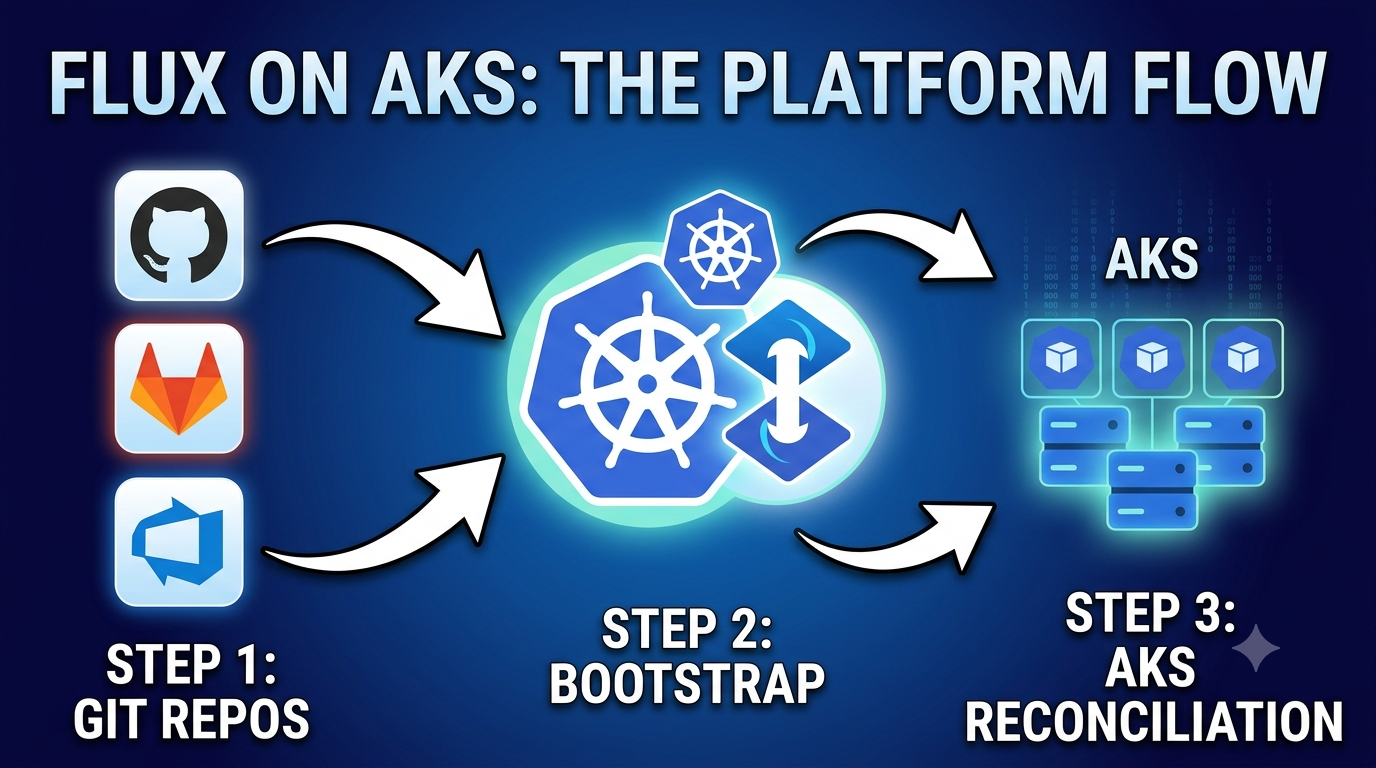

Flux is one of the most popular GitOps tools for Kubernetes. Instead of running kubectl apply from a pipeline, you declare the desired state in Git and Flux continuously reconciles the cluster to match — no push required.
This post covers bootstrapping Flux on AKS from scratch, then connecting it to an external Git repository (GitHub, Azure DevOps, GitLab, or any Git server), and walking through the two core CRDs you will use every day: GitRepository and Kustomization.
📖 Official docs used in this post:
How Flux works
Flux runs a set of controllers inside your cluster. Each controller watches a specific set of CRDs and acts on them:
Git / OCI / Helm / Bucket source
     │
     │  (poll every N seconds)
     ▼
┌──────────────────────────────────────────────────────────────────────┐
│  source-controller                                                   │
│  CRDs: GitRepository · OCIRepository · HelmRepository               │
│        HelmChart · Bucket · ExternalArtifact                        │
│  Fetches artifacts and makes them available cluster-internally       │
└───────────────────────────┬──────────────────────────────────────────┘
                            │  artifact ref
          ┌─────────────────┴─────────────────┐
          ▼                                   ▼
┌─────────────────────────┐       ┌───────────────────────────────┐
│  kustomize-controller   │       │  helm-controller              │
│  CRD: Kustomization     │       │  CRD: HelmRelease             │
│  Renders & applies      │       │  Installs / upgrades charts   │
│  Kustomize overlays     │       │  from HelmRepository source   │
└─────────────────────────┘       └───────────────────────────────┘
The source-controller supports six source CRDs, giving you flexibility in where manifests and charts live:
| CRD | What it watches | Docs |
|---|---|---|
GitRepository | Any Git repository (SSH or HTTPS) | Ref |
OCIRepository | OCI-compatible container registries | Ref |
HelmRepository | Helm chart repositories (HTTP/S or OCI) | Ref |
HelmChart | A specific chart from a HelmRepository | Ref |
Bucket | S3-compatible object storage buckets | Ref |
ExternalArtifact | Arbitrary HTTP(S) artifacts | Ref |
This post focuses on the two resources you wire together for plain-YAML GitOps:
GitRepository— tells the source-controller where to pull from, which branch/tag/commit, and how to authenticate.Kustomization— tells the kustomize-controller which path in that artifact to apply, in which namespace, and how often.
Prerequisites
Before you start you need:
- An AKS cluster running Kubernetes 1.28 or later.
kubectlconfigured with cluster access.- Azure CLI — Install guide
- Flux CLI — Install guide
- A GitHub (or any Git) repository you control.
Install the Flux CLI
# macOS
brew install fluxcd/tap/flux

# Linux (curl installer)
curl -fsSL https://fluxcd.io/install.sh -o /tmp/install-flux.sh
sudo bash /tmp/install-flux.sh
rm /tmp/install-flux.sh
Verify it is installed:
flux --versionConnect to your AKS cluster
az aks get-credentials \
  --resource-group <resource-group> \
  --name <aks-cluster-name> \
  --overwrite-existing

kubectl get nodes
Pre-flight check
Before installing Flux, confirm your cluster meets the minimum requirements:
flux check --preAll checks must pass before proceeding.
Bootstrap Flux with GitHub
flux bootstrap is the recommended first-time install. It installs Flux controllers into your cluster and commits the Flux manifests into your Git repository so the cluster manages its own Flux installation going forward.
Required PAT permissions
Flux supports both fine-grained and classic PATs. Fine-grained tokens are recommended because they can be scoped to a single repository.
Fine-grained PAT (recommended) — go to GitHub → Settings → Developer settings → Personal access tokens → Fine-grained tokens:
| Permission | Access level | Notes |
|---|---|---|
Administration | Read-only | Required to read repository settings. Set to Read and write only if using --token-auth=false (SSH deploy key mode) so Flux can register the key. |
Contents | Read and write | Required to read and push the Flux manifests to the repo. |
Metadata | Read-only | Automatically granted; needed to resolve repo metadata. |
Classic PAT — go to GitHub → Settings → Developer settings → Personal access tokens → Tokens (classic):
- Check all permissions under the
reposcope.
🔑 Keep the token expiry short and rotate it before it expires — the Flux controllers store it as a cluster Secret and will stop syncing if the token expires. See PAT secret in the Flux docs.
Export credentials
export GITHUB_USER=<your-github-username>
export GITHUB_TOKEN=<your-github-token>
export GITHUB_REPO=aks-gitops
Run bootstrap
flux bootstrap github \
  --token-auth \
  --owner=$GITHUB_USER \
  --repository=$GITHUB_REPO \
  --branch=main \
  --path=clusters/prod \
  --personal \
  --private
What happens:
- Flux controllers are installed in the
flux-systemnamespace. - The PAT is stored in the cluster as a Kubernetes Secret named
flux-systemin theflux-systemnamespace. The controllers use this PAT to access Git over HTTPS — no deploy key is created. - The Flux component manifests and a
GitRepository+Kustomizationpointing atclusters/prodare pushed to the repository. - The cluster immediately begins reconciling from that path.
⚠️ SSH vs HTTPS:
--token-auth(used above) is the HTTPS path — your PAT is stored as a cluster Secret. If you want SSH deploy keys instead, drop--token-authand add--token-auth=false. Flux will then generate an SSH key pair, store the private key in the cluster Secret, and register the public key as a GitHub deploy key via the API. See GitHub Deploy Keys in the docs.
After bootstrap your repository will contain:
clusters/
└── prod/
    └── flux-system/
        ├── gotk-components.yaml    # Flux CRDs and controllers
        ├── gotk-sync.yaml          # GitRepository + Kustomization for flux-system
        └── kustomization.yaml      # Kustomize entry point
Flux has first-class bootstrap support for many Git providers beyond GitHub:
| Provider | Bootstrap guide |
|---|---|
| GitLab | docs |
| Bitbucket | docs |
| Azure DevOps | docs |
| AWS CodeCommit | docs |
| Google Cloud Source | docs |
| Gitea | docs |
| Oracle VBS | docs |
| Any Git server | docs |
Verify the bootstrap
# Check Flux controller pods
kubectl get pods -n flux-system

# Check all GitRepository sources
flux get sources git -A

# Check all Kustomizations
flux get kustomizations -A

# Full health check
flux check
All resources should show Ready=True. If any are not, jump to the troubleshooting section.
Connecting an external Git repository with SSH
The bootstrap command sets up the flux-system repository, but in practice you often want to point a separate application repository at the same cluster. The clean way to do this is with an SSH deploy key and a Secret — no personal tokens, no passwords, nothing that ties to a person’s account.
Step 1 — Generate an SSH key pair
ssh-keygen -t ed25519 -C "flux@aks-prod" -f ./flux-deploy-key -N ""This creates two files:
flux-deploy-key— private key (stays in the cluster as a Kubernetes Secret)flux-deploy-key.pub— public key (added to the Git repository as a deploy key)
Step 2 — Add the public key to your repository
GitHub:
- Open the repository → Settings → Deploy keys → Add deploy key.
- Paste the contents of
flux-deploy-key.pub. - Keep Allow write access unchecked — Flux only needs read access for application repos.
GitLab: Repository → Settings → Repository → Deploy keys.
Azure DevOps: Project Settings → Repositories → select repo → Security → SSH keys.
Step 3 — Create the Kubernetes Secret
Store the private key as a Secret in the namespace where you will create the GitRepository:
kubectl create secret generic flux-app-repo-auth \
  --namespace=flux-system \
  --from-file=identity=./flux-deploy-key \
  --from-file=identity.pub=./flux-deploy-key.pub \
  --from-literal=known_hosts="$(ssh-keyscan -t rsa,ecdsa,ed25519 github.com 2>/dev/null)"
The known_hosts entry prevents Flux from refusing the connection on a host-key mismatch. Verify the host key fingerprint out-of-band before you trust it, and adjust the hostname if you are using GitLab, Azure DevOps, or a self-hosted server.
Immediately remove the local key files:
rm flux-deploy-key flux-deploy-key.pubThe GitRepository CRD
GitRepository is a Source API resource. It tells the source-controller to clone a specific repository at a specific interval and make the result available as an artifact for downstream controllers.
Full annotated example
apiVersion: source.toolkit.fluxcd.io/v1
kind: GitRepository
metadata:
  name: aks-apps
  namespace: flux-system
spec:
  # How often Flux polls for new commits.
  # Supported suffixes: s, m, h. Minimum: 1m in production.
  interval: 1m

  # SSH URL of the repository. Use SSH (git@) for deploy-key auth.
  # HTTPS URLs are supported too — replace secretRef with a token secret.
  url: ssh://git@github.com/<org>/<repo>.git

  # Which ref to track. You can use branch, tag, semver, or commit.
  ref:
    branch: main
    # tag: v1.2.3
    # semver: ">=1.0.0 <2.0.0"
    # commit: abc1234

  # Reference to the Secret created in the previous step.
  secretRef:
    name: flux-app-repo-auth

  # Optional: only reconcile when files under these paths change.
  # Useful for monorepos — avoids reconciling all kustomizations
  # when an unrelated part of the repo changes.
  ignore: |
    # ignore everything except the k8s directory
    /*
    !/k8s/
Apply it:
kubectl apply -f gitrepository.yamlCheck the status:
flux get source git aks-apps -n flux-systemA healthy output looks like:
NAME        REVISION        SUSPENDED  READY   MESSAGE
aks-apps    main@sha1:...   False      True    stored artifact for revision 'main@sha1:...'
If the READY column shows False, describe the resource for the exact error:
kubectl describe gitrepository aks-apps -n flux-systemThe Kustomization CRD
Kustomization is a Kustomize API resource. It tells the kustomize-controller which path in a source artifact to render and apply, and in which target namespace.
⚠️ Do not confuse this with the native
kustomize.config.k8s.io/v1beta1/Kustomization— that is the plain Kustomize file. The Flux CRD iskustomize.toolkit.fluxcd.io/v1/Kustomizationand is a different resource entirely.
Full annotated example
apiVersion: kustomize.toolkit.fluxcd.io/v1
kind: Kustomization
metadata:
  name: aks-apps
  namespace: flux-system
spec:
  # How often the controller reconciles even if nothing in Git changed.
  # Detects drift (someone ran kubectl edit, for example).
  interval: 5m

  # Re-apply immediately if a previous apply failed.
  retryInterval: 1m

  # Path inside the GitRepository artifact to apply.
  # Must contain a kustomization.yaml or plain manifests.
  path: "./k8s/overlays/prod"

  # Delete resources from the cluster when they are removed from Git.
  prune: true

  # Namespace to use when the manifests do not specify one.
  targetNamespace: demo

  # Kubernetes RBAC: which ServiceAccount the controller impersonates
  # when applying. Scopes blast radius to least privilege.
  serviceAccountName: flux-reconciler

  # Reference to the GitRepository (or other source) to pull from.
  sourceRef:
    kind: GitRepository
    name: aks-apps

  # Wait for all applied resources to become ready before marking
  # this Kustomization as Ready.
  wait: true
  timeout: 2m

  # Optional: pass values into the kustomization from the cluster
  # (e.g. inject the cluster name into a ConfigMap).
  postBuild:
    substitute:
      CLUSTER_NAME: "aks-prod"
    substituteFrom:
      - kind: ConfigMap
        name: cluster-vars
Apply it:
kubectl apply -f kustomization.yamlWatch reconciliation:
flux get kustomizations aks-apps -n flux-system --watchForce an immediate reconcile without waiting for the interval:
flux reconcile kustomization aks-apps --with-sourceRecommended repository layout
A clean layout separates the cluster bootstrap config (managed by Flux’s own flux-system kustomization) from your application config:
my-gitops-repo/
├── clusters/
│   └── prod/
│       └── flux-system/          # managed by flux bootstrap
│           ├── gotk-components.yaml
│           ├── gotk-sync.yaml
│           └── kustomization.yaml
├── infrastructure/               # platform-level config
│   ├── namespaces/
│   ├── rbac/
│   └── cert-manager/
└── apps/
    ├── base/                     # shared base manifests
    │   └── nginx/
    │       ├── deployment.yaml
    │       ├── service.yaml
    │       └── kustomization.yaml
    └── overlays/
        ├── dev/                  # dev-specific patches
        └── prod/                 # prod-specific patches
Each environment overlay has its own Kustomization CR pointing at the right path and source. This means promoting from dev to prod is a Git commit, not a manual kubectl apply.
Add your first workload
This section puts both CRDs together in a single end-to-end example. A GitRepository tells Flux where your app repo lives; a Kustomization tells it which path to apply. Both are required — the Kustomization cannot reconcile without a ready source to pull from.
Step 1 — Create the app repo Secret (SSH auth)
If your app repository is separate from the bootstrap repo, create the SSH auth Secret first (see the Connecting an external Git repository with SSH section for how to generate the key and add the public key to the repo):
kubectl create secret generic flux-app-repo-auth \
  --namespace=flux-system \
  --from-file=identity=./flux-deploy-key \
  --from-file=identity.pub=./flux-deploy-key.pub \
  --from-literal=known_hosts="$(ssh-keyscan -t rsa,ecdsa,ed25519 github.com 2>/dev/null)"
Step 2 — Create the GitRepository CR
Create flux-system/gitrepository-aks-apps.yaml and commit it to the bootstrap repository under clusters/prod/, or apply it directly:
apiVersion: source.toolkit.fluxcd.io/v1
kind: GitRepository
metadata:
  name: aks-apps
  namespace: flux-system
spec:
  interval: 1m
  url: ssh://git@github.com/<org>/<app-repo>.git
  ref:
    branch: main
  secretRef:
    name: flux-app-repo-auth
Apply and confirm the source is ready before proceeding:
kubectl apply -f gitrepository-aks-apps.yaml

flux get source git aks-apps -n flux-system
# NAME      REVISION          SUSPENDED  READY  MESSAGE
# aks-apps  main@sha1:abc123  False      True   stored artifact ...
The READY=True line means the source-controller has successfully cloned the repo and stored the artifact. Only then will a Kustomization that references it be able to reconcile.
Step 3 — Add the app manifests to the repo
Create apps/base/demo/deployment.yaml in your app repository:
apiVersion: v1
kind: Namespace
metadata:
  name: demo
---
apiVersion: apps/v1
kind: Deployment
metadata:
  name: nginx
  namespace: demo
spec:
  replicas: 1
  selector:
    matchLabels:
      app: nginx
  template:
    metadata:
      labels:
        app: nginx
    spec:
      containers:
        - name: nginx
          image: nginx:1.27
          ports:
            - containerPort: 80
Step 4 — Add the plain Kustomize file
Add apps/base/demo/kustomization.yaml (the native Kustomize file — not a Flux CRD):
apiVersion: kustomize.config.k8s.io/v1beta1
kind: Kustomization
resources:
  - deployment.yaml
Step 5 — Create the Flux Kustomization CR
This CR references GitRepository/aks-apps created in Step 2. Without that source being Ready, this Kustomization will stay in a Not Ready state — always create the GitRepository first.
apiVersion: kustomize.toolkit.fluxcd.io/v1
kind: Kustomization
metadata:
  name: demo-app
  namespace: flux-system
spec:
  interval: 5m
  path: "./apps/base/demo"
  prune: true
  sourceRef:
    kind: GitRepository
    name: aks-apps
Commit and push both the GitRepository and Kustomization manifests. Flux will detect new commits within the interval window and apply them. Verify the full chain:
# Source is fetching
flux get source git aks-apps -n flux-system

# Kustomization is reconciling
flux get kustomization demo-app -n flux-system

# Workload is running
kubectl get deployment nginx -n demo
Troubleshooting
Authentication failure to the Git repository
kubectl describe gitrepository aks-apps -n flux-system | grep -A10 "Status:"Common causes:
- Public key was not added to the repository’s deploy keys.
known_hostsin the Secret is missing or incorrect — re-runssh-keyscan <hostname>and recreate the Secret.- The Secret name in
secretRefdoes not match what was created.
Flux controllers not becoming ready after bootstrap
kubectl get pods -n flux-system
kubectl get events -n flux-system --sort-by=.lastTimestamp
If a pod is CrashLoopBackOff, check its logs:
kubectl logs -n flux-system deploy/source-controller
kubectl logs -n flux-system deploy/kustomize-controller
Kustomization stuck in Not Ready
flux get kustomization aks-apps -n flux-system
kubectl describe kustomization aks-apps -n flux-system
Check the Message field — it usually contains the exact error (missing CRD, RBAC denial, invalid YAML). Fix the manifests in Git, commit, and force a reconcile:
flux reconcile kustomization aks-apps --with-sourceReconciliation not picking up new commits
- Confirm you pushed to the same branch configured in
spec.ref.branch. - Verify
spec.pathin theKustomizationmatches where your manifests live. - Check the source is fetching:
flux get source git aks-apps -n flux-systemRecommended next steps
Once Flux is running you can progressively harden and extend it:
| Step | Description | Docs |
|---|---|---|
| Secrets management | Encrypt secrets in Git with SOPS + Azure Key Vault | Flux SOPS guide |
| Image automation | Let Flux update image tags from Azure Container Registry | Image automation |
| Notifications | Alert Slack or Teams on reconciliation failures | Notification controller |
| Multi-tenancy | Scope Kustomizations to least-privilege ServiceAccounts | Multi-tenancy lockdown |
| Monitoring | Scrape Flux metrics with Azure Managed Prometheus | Flux monitoring |
GitOps with Flux and AKS means every cluster change is a Git commit — auditable, reviewable, and reversible. Once you understand how GitRepository and Kustomization fit together, you have the building blocks for everything else.