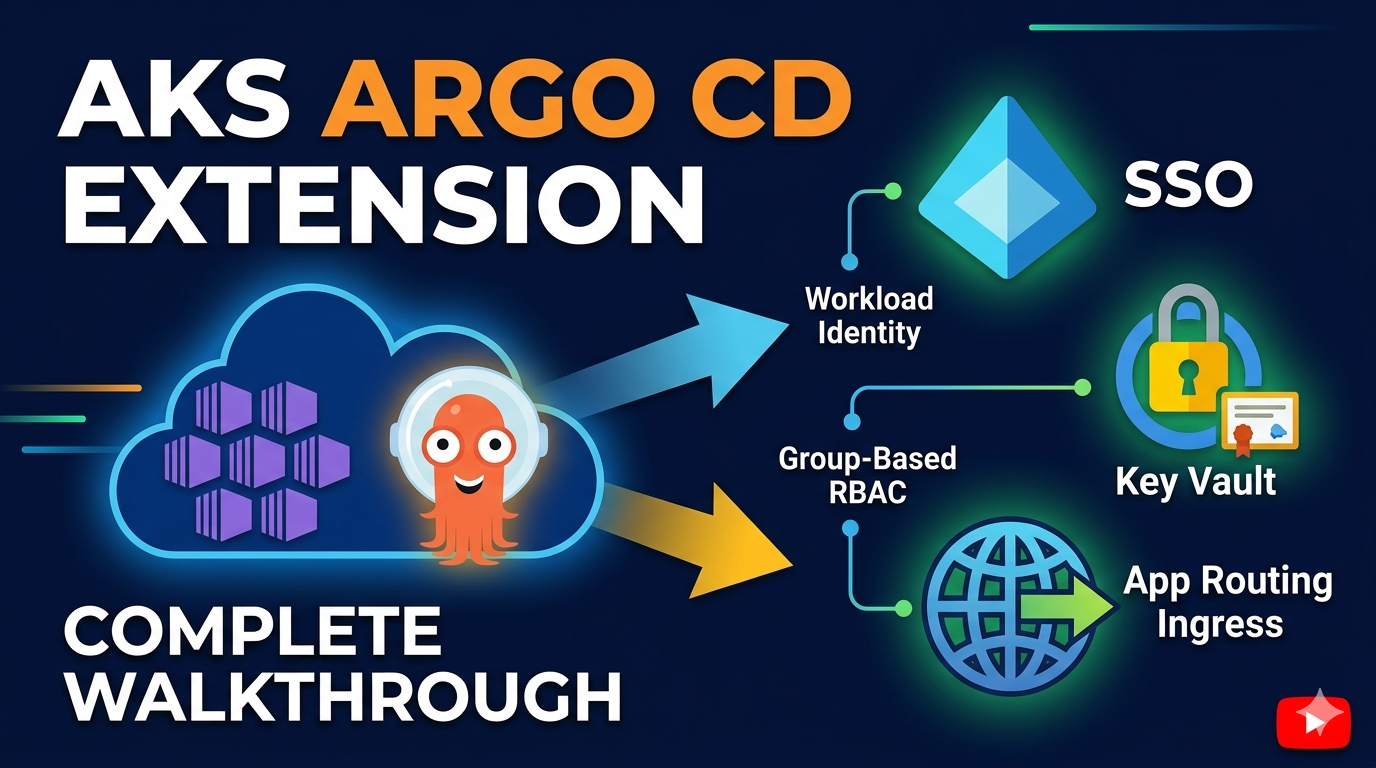

GitOps has become the default way to deliver applications to Kubernetes, and for a long time AKS users only had Flux v2 as a managed option. That changed at KubeCon Europe 2026 with the public preview of the Argo CD extension for AKS — a way to run Argo CD as an Azure-native cluster extension instead of installing and babysitting the upstream Helm chart yourself.
In this post I’ll explain what Argo CD is for anyone new to it, the components that make up an Argo CD installation, and then walk through a real deployment that adds the pieces you actually need for production: App Routing ingress, TLS from Azure Key Vault, and Microsoft Entra ID single sign-on with workload identity and group-based RBAC.
What is Argo CD?
If you are new to Argo CD: it is a declarative, GitOps continuous delivery tool for Kubernetes. Instead of running kubectl apply from a pipeline (a push model), Argo CD runs inside your cluster and continuously pulls the desired state from a Git repository, Helm chart, or OCI registry and reconciles it against what is actually running.
The core idea is simple but powerful:
- Git is the source of truth. The manifests in your repository describe what should be deployed.
- Argo CD watches for drift. If the live cluster state diverges from Git — someone hand-edits a Deployment, or a sync fails — Argo CD flags the application as
OutOfSync. - Reconciliation brings it back. Argo CD can automatically (or on demand) re-apply the desired state so the cluster always matches Git.
This gives you an auditable, version-controlled, self-healing delivery model. Every change is a commit, every rollback is a git revert, and the cluster’s state is always traceable to a known revision.
Why run it as an AKS extension?
You can absolutely install upstream Argo CD yourself, but running it as the Microsoft.ArgoCD cluster extension hands several operational concerns to Azure:
- Managed upgrades and patching — Azure keeps the extension up to date, so you are not chasing CVEs or doing manual Helm upgrades.
- Hardened images — the extension images are based on Azure Linux, reducing the CVE surface.
- Declarative install — you can deploy and configure it with Azure CLI, ARM, Bicep, or Terraform as part of cluster bootstrapping.
- Native identity integration — easy Entra ID SSO and workload identity federation so Argo CD can authenticate to Azure services without stored secrets.
The components behind Argo CD
When the extension installs Argo CD into the argocd namespace, it deploys several cooperating components. Understanding them helps when you are debugging or tuning the deployment:
| Component | Role |
|---|---|
argocd-server | The API server and web UI. This is what users and the CLI talk to, and the component fronted by ingress and SSO. |
argocd-application-controller | The reconciliation engine. It compares the desired state in Git against the live cluster state and applies changes. |
argocd-repo-server | Clones Git/Helm/OCI sources and renders the final Kubernetes manifests (running helm template, kustomize build, etc.). |
argocd-redis | A cache used by the other components. In HA mode this becomes redis-ha; for single-node demos it can be disabled. |
argocd-applicationset-controller | Generates Argo CD Application resources from templated generators (useful for multi-cluster / multi-env fan-out). |
argocd-notifications-controller | Sends notifications (Slack, email, webhooks) on application events. |
The two most important objects you will create yourself are:
Application— points at a Git source (repo, path, revision) and a destination (cluster + namespace). This is the unit Argo CD syncs.AppProject— a logical grouping that constrains which repos, clusters, and namespaces a set of Applications may use.
Architecture of the deployment
The demo wires Argo CD together with the App Routing add-on for ingress, Key Vault for TLS, and Entra ID for identity. Here is how a request flows once everything is deployed:
graph TB
    User["User browser"]
    DNS["Azure DNS<br/>argocd.example.com"]
    subgraph AKS["AKS Cluster"]
        Nginx["App Routing NGINX<br/>(TLS termination)"]
        Server["argocd-server<br/>(UI / API)"]
        Controller["application-controller"]
        Repo["repo-server"]
        ExtDNS["external-dns"]
        CSI["Secrets Store CSI"]
    end
    KV["Azure Key Vault<br/>TLS certificate"]
    Entra["Microsoft Entra ID<br/>(OIDC IdP)"]
    Git["Git repository<br/>(source of truth)"]

    User --> DNS --> Nginx
    Nginx -- "plain HTTP" --> Server
    Server -- "OIDC redirect" --> Entra
    CSI -- "sync cert" --> KV
    Nginx -- "uses cert" --> CSI
    ExtDNS -- "creates A record" --> DNS
    Controller -- "pull & reconcile" --> Git
    Repo -- "render manifests" --> Git
Request flow at runtime:
- A user hits
https://argocd.example.com/. DNS resolves to the public IP of the NGINX service, whichexternal-dnspopulated automatically from the ingress. - NGINX terminates TLS using the Key Vault certificate (mounted via the Secrets Store CSI driver) and proxies to
argocd-server. argocd-serverredirects the user to Entra ID for sign-in. After authenticating, the user is returned to/auth/callbackwith an ID token containing agroupsclaim.argocd-servervalidates the token using its workload identity (a federated service-account token exchanged for an Entra token) — no client secret is stored anywhere.- The RBAC config maps the admin group’s object ID to the
role:adminpolicy, so members of that group get full access.
Prerequisites
Before deploying, make sure the following are in place:
- An Azure subscription with permission to create AKS, Key Vault, managed identities, and Entra ID app registrations (Application Administrator or Cloud Application Administrator at the tenant level).
- A public Azure DNS zone you control (e.g.
example.com), already delegated from your registrar. - A PFX certificate from a publicly trusted CA covering the Argo CD FQDN (wildcard
*.example.comor single-SANargocd.example.com). Self-signed certs will throwERR_CERT_AUTHORITY_INVALIDin the browser. - Tooling: Azure CLI (
>= 2.60), kubectl, Terraform (>= 1.6), and thek8s-extensionandaks-previewCLI extensions.
Register the required resource providers:
az provider register --namespace Microsoft.KubernetesConfiguration
az provider register --namespace Microsoft.ContainerService
az provider register --namespace Microsoft.OperationalInsights
⚠️ The Argo CD AKS extension is currently in public preview. Schema keys (
sso.*,configs.cm.*, etc.) may change between releases.
Building the AKS cluster
The integration hinges on two cluster features that must be enabled: the OIDC issuer and workload identity. These let the cluster issue OIDC tokens that Argo CD pods exchange with Entra ID — the foundation of secret-less SSO.
The demo also turns on a few add-ons that the rest of the setup depends on:
resource "azurerm_kubernetes_cluster" "this" {
  # ...
  oidc_issuer_enabled       = true   # required for workload identity federation
  workload_identity_enabled = true   # lets pods exchange SA tokens for Entra tokens

  # App Routing add-on (managed NGINX ingress + external-dns)
  web_app_routing {
    dns_zone_ids = [data.azurerm_dns_zone.this.id]
  }

  # Secrets Store CSI driver — required to sync the TLS cert from Key Vault
  key_vault_secrets_provider {
    secret_rotation_enabled  = true
    secret_rotation_interval = "2m"
  }
}
A subtle but important detail: when you enable App Routing through the portal or az aks approuting update --attach-kv, the Secrets Store CSI driver is enabled implicitly. In Terraform it is not — you must add the key_vault_secrets_provider block explicitly, or the App Routing operator will silently fail to mount the Key Vault certificate.
Ingress with the App Routing add-on
The App Routing add-on is Azure’s managed ingress solution for AKS. It bundles three things that would otherwise be manual work:
- A managed NGINX ingress controller (the
NginxIngressControllercustom resource nameddefault). external-dns, which watches ingress objects and automatically creates DNS A records in your Azure DNS zone.- Key Vault integration for TLS, so NGINX can serve certificates stored centrally in Key Vault instead of Kubernetes Secrets you manage by hand.
How the TLS certificate gets wired up
This is the part that trips most people up. The App Routing NGINX controller ships with a self-signed fallback certificate. It only switches to your real Key Vault certificate after the NginxIngressController CR is patched with a defaultSSLCertificate.keyVaultURI:
kubectl patch nginxingresscontroller default --type=merge \
  -p '{"spec":{"defaultSSLCertificate":{"keyVaultURI":"<kv-cert-uri>"}}}'
This is exactly what the Portal’s App Routing → HTTPS → select Key Vault flow does under the hood. Once patched, the App Routing operator creates a SecretProviderClass, the Secrets Store CSI driver syncs the cert from Key Vault into a kubernetes.io/tls Secret in app-routing-system, and NGINX restarts serving your real certificate.
Two role-assignment gotchas worth calling out:
- The App Routing managed identity needs Key Vault Certificate User, not Key Vault Secrets User. The Certificate User role permits
getSecreton the certificate’s backing secret, which is how the CSI driver retrieves the private key. external-dnslists DNS zones at the resource group level before touching a specific zone, so it needs Reader on the DNS zone resource group in addition to DNS Zone Contributor on the zone — otherwise it gets a 403.
Ingress for argocd-server
The Argo CD extension manages the argocd-server ingress itself through its server.ingress.* settings, so there is no standalone ingress manifest to apply. You just tell the extension the hostname and ingress class, and it creates the ingress object that App Routing’s NGINX then serves.
One classic pitfall here is the redirect loop (ERR_TOO_MANY_REDIRECTS): the ingress terminates TLS and forwards plain HTTP to argocd-server, which by default runs in secure mode and 307-redirects everything back to HTTPS. The fix is to run argocd-server in insecure mode so TLS terminates only at the ingress:
"configs.params.server\\.insecure" = "true"(For an already-running cluster you can patch argocd-cmd-params-cm live and restart the argocd-server deployment.)
Single sign-on with Microsoft Entra ID
By default Argo CD ships with a built-in admin user and a bootstrap password. That is fine for a first login, but for real use you want your team signing in with their corporate identities — getting MFA, conditional access, and group-based RBAC for free. That is what the Entra ID integration delivers.
The Entra ID app registration
The integration starts with an Entra ID application that acts as the OIDC identity provider for Argo CD. The important settings are:
sign_in_audience = "AzureADMyOrg"— restricts sign-in to users in your tenant only.group_membership_claims = ["ApplicationGroup"]— includes group membership in the issued token, which Argo CD uses for RBAC.- Redirect URIs — a
webreply URL (https://argocd.example.com/auth/callback) for the browser flow, and apublic_clientURL for the Argo CD CLI’s--ssologin. - Graph permissions — delegated
openid,profile,email, andUser.Read, pre-consented so end users never see a consent prompt. - Optional
groupsclaim — emitted as an essential claim in the ID token so RBAC can map on group object IDs.
Workload identity — no client secret anywhere
The standout feature is that no client secret is stored. Argo CD authenticates to Entra ID using workload identity federation: a federated identity credential trusts the cluster’s OIDC issuer for the argocd-server service account.
resource "azuread_application_federated_identity_credential" "argocd_server" {
  application_id = azuread_application.argocd.id
  display_name   = "argocd-server"
  audiences      = ["api://AzureADTokenExchange"]
  issuer         = azurerm_kubernetes_cluster.this.oidc_issuer_url
  subject        = "system:serviceaccount:argocd:argocd-server"
}
At runtime the pod’s projected service-account token is exchanged for an Entra ID token — secret-less, with nothing sensitive sitting in Git or a Kubernetes Secret.
OIDC configuration on the extension
The OIDC settings are passed to Argo CD through the extension’s configuration. Note useWorkloadIdentity: true, which is what enables the secret-less token exchange:
name: Microsoft Entra ID
issuer: https://login.microsoftonline.com/<tenant-id>/v2.0
clientID: <app-client-id>
azure:
  useWorkloadIdentity: true
requestedIDTokenClaims:
  groups:
    essential: true
requestedScopes:
  - openid
  - profile
  - email
Group-based RBAC
Finally, the RBAC config maps an Entra ID security group to an Argo CD role. Here the ArgoCdAdmins group gets the built-in admin role, while everyone else who can sign in falls back to readonly:
g, <argocd-admin-group-object-id>, role:admin
policy.default: role:readonly
scopes: [groups]
To grant someone admin access, you simply add them to the Entra ID group:
az ad group member add --group $GROUP_ID --member-id <user-object-id>Tying it together in the extension
All of the above — the SSO/OIDC config, the RBAC policy, the workload identity wiring, and the ingress — are passed as configuration settings when the extension is created. With Terraform that looks like:
resource "azurerm_kubernetes_cluster_extension" "argocd" {
  name           = "argocd"
  cluster_id     = azurerm_kubernetes_cluster.this.id
  extension_type = "Microsoft.ArgoCD"
  release_train  = "Preview"

  configuration_settings = {
    "azure.workloadIdentity.enabled"          = "true"
    "azure.workloadIdentity.clientId"         = azuread_application.argocd.client_id
    "azure.workloadIdentity.entraSSOClientId" = azuread_application.argocd.client_id
    "redis-ha.enabled"                        = "false"
    "global.domain"                           = "argocd.example.com"
    "configs.cm.admin\\.enabled"              = "false"
    "configs.cm.oidc\\.config"                = local.oidc_config
    "configs.rbac.policy\\.csv"               = local.policy_csv
    "configs.params.server\\.insecure"        = "true"
  }
}
A couple of details that are easy to miss:
- Escaped dots. Config keys with dots (like
oidc.config) are sent asconfigs.cm.oidc\\.config, because the extension uses dots as a path separator. The double backslash escapes the literal dot. - Omit the version. Because the extension is Azure-managed, you leave the version out and let Azure deploy the latest and auto-upgrade it.
- Disable the built-in admin with
configs.cm.admin.enabled = "false"once SSO is proven, so Entra ID is the only way in.
Verifying the deployment
After terraform apply and az aks get-credentials, confirm the pieces are healthy:
# Argo CD components and ingress
kubectl -n argocd get pods
kubectl -n argocd get ingress argocd-server

# App Routing + the Key Vault cert sync
kubectl get nginxingresscontroller default \
  -o jsonpath='{.spec.defaultSSLCertificate.keyVaultURI}{"\n"}'
kubectl -n app-routing-system get secret keyvault-nginx-default

# Workload identity annotation on the service account
kubectl -n argocd get sa argocd-server -o yaml | grep azure.workload.identity

# Extension provisioning state
az k8s-extension show --cluster-type managedClusters \
  --cluster-name <cluster> --resource-group <rg> --name argocd \
  --query "{state:provisioningState,version:version}" -o table
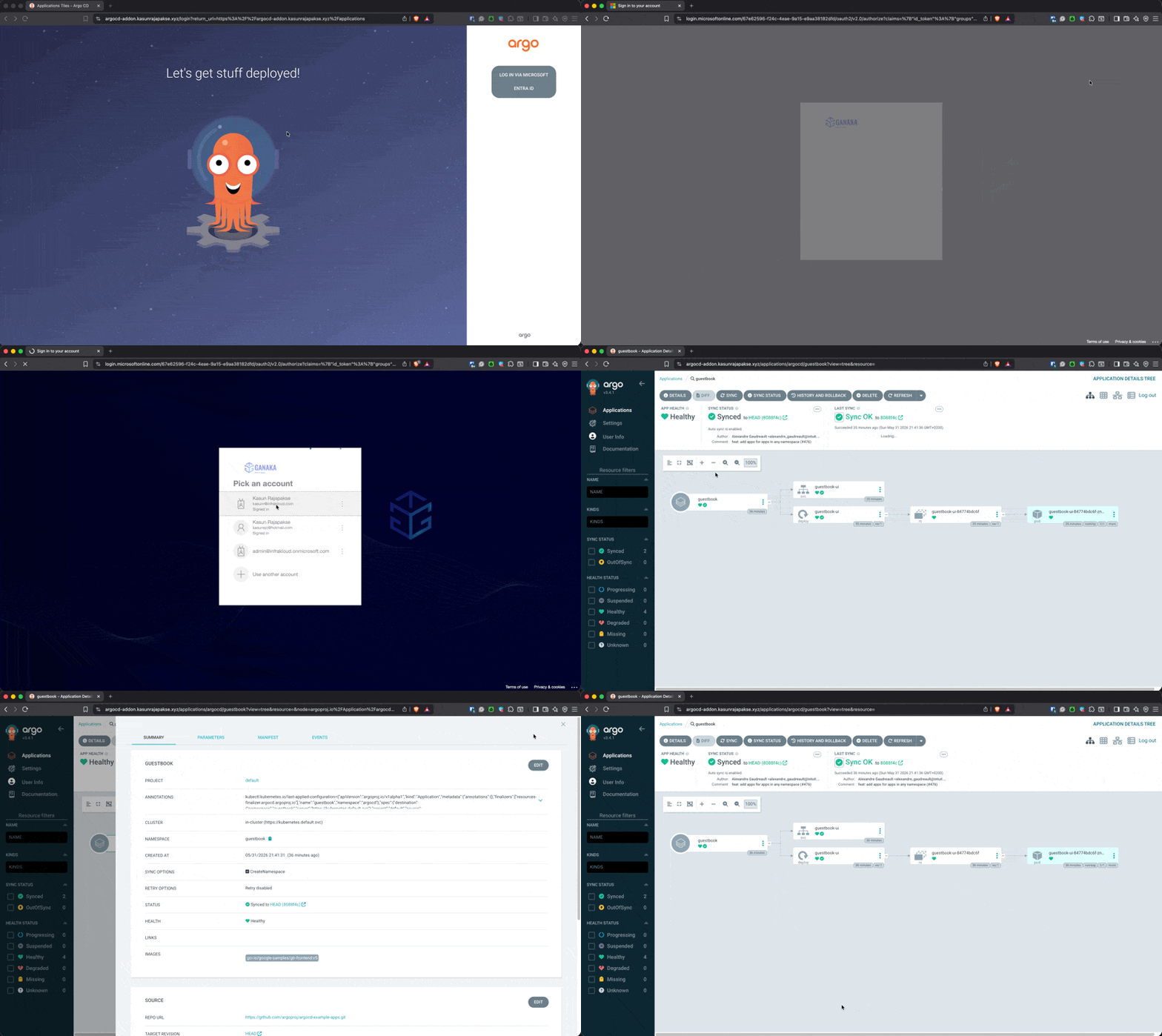
Then browse to https://argocd.example.com/, click Log in via Microsoft Entra ID, and you should land on the Argo CD UI with your group claims visible under User Info. If SSO returns “user not found” but the bootstrap admin works, it almost always means the groups claim is empty — check that the user is actually a member of the admin group and sign out/in to refresh the token.
Wrapping up
The Argo CD extension brings managed GitOps to AKS the same way the Flux v2 extension has for years — but with first-class Argo CD support, Azure-managed upgrades, and tight identity integration. The combination that makes it production-ready is:
- App Routing for managed NGINX ingress, automatic DNS, and Key Vault TLS.
- Workload identity so Argo CD authenticates to Entra ID with no stored secrets.
- Entra ID SSO + group RBAC so your team signs in with corporate identities and MFA, mapped to Argo CD roles by group membership.
If you want to try it end to end, the full Terraform automation — AKS cluster, Key Vault, Entra ID app, App Routing wiring, and the extension itself — is in the AKS-ArgoCD-Extension repo, deployable with a single ./deploy.sh.