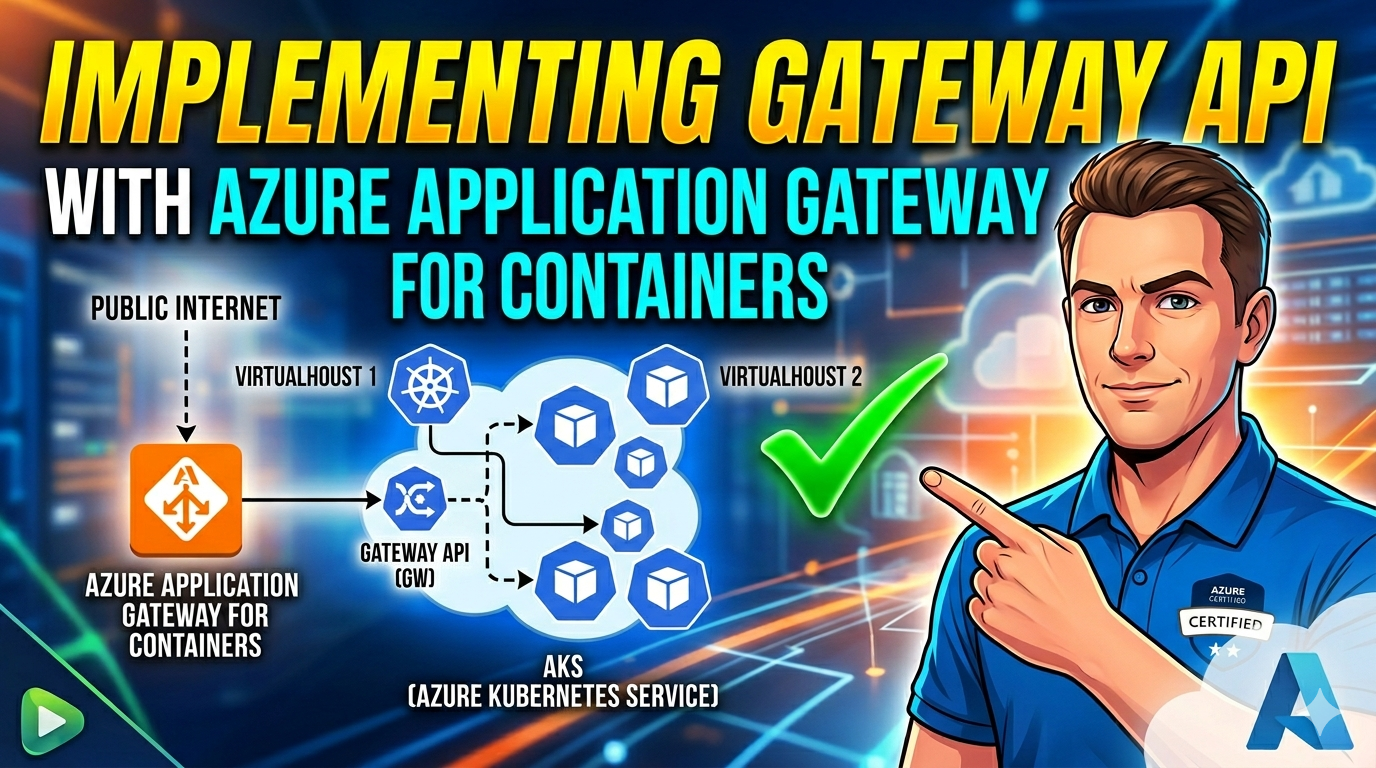

If you’ve ever wrestled with the Application Gateway Ingress Controller (AGIC) — the slow convergence, the shared subnet headaches, the missing traffic-splitting primitives — the new Application Gateway for Containers (AGFC) is going to feel like a breath of fresh air. It’s the next generation of Application Gateway built specifically for Kubernetes workloads, and it speaks the Kubernetes Gateway API natively.
In this post I’ll walk through the demo I built for my YouTube video, focusing on the two deployment strategies (ALB-managed and BYO), the core Gateway API resources involved, and the base routing flow you can use as a starting point for your own AKS setup.
📺 Prefer to watch? The full walkthrough is on my YouTube channel: Watch on YouTube
Why Application Gateway for Containers?
AGFC is a new load-balancing product under the Application Gateway family, purpose-built for Kubernetes. The key wins over AGIC:
- Gateway API support — Uses the Kubernetes Gateway API standard, the successor to Ingress.
- Near real-time convergence — Config changes reflect in ~5 seconds (vs. minutes with AGIC).
- Native traffic splitting — Weighted round robin for blue-green and canary deployments.
- Mutual TLS — Both client-side and backend mTLS are first-class.
- No shared-subnet pain — AGFC uses its own delegated subnet.
- Multi-site hosting — Host multiple sites on a single Gateway resource.
Architecture at a Glance
graph TB
    Internet(["🌐 Internet"])

    subgraph RG["Azure Resource Group"]
        subgraph VNet["Virtual Network (10.0.0.0/8)"]
            subgraph AKSSubnet["AKS Subnet (10.224.0.0/16)"]
                ALBController["ALB Controller\n(AKS add-on)"]
                v1["backend-v1 pods"]
                v2["backend-v2 pods"]
            end

            subgraph ALBSubnet["ALB Subnet (10.225.0.0/24)\nDelegated to trafficControllers"]
                AGFC["App Gateway\nfor Containers"]
            end
        end

        LogAnalytics["Log Analytics\n+ Container Insights"]
    end

    Internet --> AGFC
    AGFC <--> ALBController
    ALBController --> v1
    ALBController --> v2
The AKS cluster runs Azure CNI Overlay with OIDC Issuer and Workload Identity enabled. AGFC lives in a separate subnet delegated to Microsoft.ServiceNetworking/trafficControllers — which is required.
Two Deployment Strategies
AGFC can be deployed in two ways, and the demo supports both:
| Strategy | Who creates the AGFC resources? | When to pick it |
|---|---|---|
| ALB-managed | The ALB Controller creates and manages the AGFC lifecycle via an ApplicationLoadBalancer CRD in the cluster. | Fast demos, dev clusters, teams that want Kubernetes to own the full lifecycle. |
| BYO (Bring Your Own) | AGFC traffic controller, frontend, and association are pre-created in Azure via Bicep. The Gateway references them by resource ID. | Production, separation of duties, platform teams that own networking in Bicep/Terraform. |
The only thing that changes at the Kubernetes layer is a couple of annotations on the Gateway resource. The routing, traffic splitting, and TLS features work identically in both modes.
Prerequisites
- An Azure subscription in a supported region
- Azure CLI with the
albandaks-previewextensions kubectl
Deploy It
Clone the repo and run one script:
git clone https://github.com/kasunsjc/Code-Snippets.git
cd Code-Snippets/AKS-AppGW-Containers

chmod +x deploy.sh

# Option 1 — ALB Controller manages AGFC
./deploy.sh managed

# Option 2 — Bring Your Own (AGFC pre-created in Bicep)
./deploy.sh byo
Under the hood, the Bicep templates provision:
- A VNet with two subnets (AKS nodes and a delegated ALB subnet)
- An AKS cluster with Azure CNI Overlay, OIDC Issuer, and Workload Identity
- A Log Analytics workspace with Container Insights
- For BYO only: the AGFC traffic controller, frontend, and subnet association
The deploy script also enables the two AKS add-ons that do the heavy lifting:
--enable-gateway-api— installs the Gateway API CRDs--enable-application-load-balancer— installs the ALB Controller
This is the recommended approach over Helm for managed AKS environments.
Testing the Base Gateway
Once deployed, grab the Gateway’s FQDN and hit it:
FQDN=$(kubectl get gateway gateway-01 -n test-infra \
  -o jsonpath='{.status.addresses[0].value}')

# Default route → backend-v1
curl http://$FQDN/

# Path-based routing: /bar → backend-v2
curl http://$FQDN/bar

# Header + query + path routing → backend-v2
curl "http://$FQDN/some/thing?great=example" -H "magic: foo"
Gateway API in 60 Seconds
If you’re coming from Ingress, here’s the mental model:
GatewayClass—azure-alb-externalis installed by the ALB Controller add-on. It says “Gateways referencing this class are managed by AGFC.”Gateway— A listener on AGFC. The annotations differ between managed and BYO.HTTPRoute— How traffic flows from a Gateway to backend services (path, header, query, weights).BackendTLSPolicy— Configures mTLS from AGFC to backends (CA bundle, SNI, client cert).
Here’s what the demo’s HTTPRoute rules look like, conceptually:
| Match | Route to |
|---|---|
Path /bar | backend-v2 |
Header magic: foo + query great=example + path /some/thing | backend-v2 |
| Everything else | backend-v1 |
I’ll cover traffic splitting, TLS offload, and backend mTLS in a separate demo. For this post, I wanted to keep the focus on getting AGFC onto AKS cleanly and understanding the Gateway API building blocks.
Gotchas Worth Knowing
AGFC is evolving fast, but a few limitations to plan around today:
- Ports 80 and 443 only — no custom listener ports.
- One association per AGFC resource — multiple associations are on the roadmap.
- Public FQDN only — private/internal frontends aren’t supported yet.
- /24 minimum for the ALB subnet — at least 256 addresses, more if you share.
- Backend is HTTP/1.1 — except gRPC (HTTP/2). Client-to-frontend always supports HTTP/2.
- 60-second default request timeout — tune it for long downloads or streaming.
- Regional availability is limited — always check the supported regions list before you pick a region.
Clean Up
chmod +x cleanup.sh
./cleanup.sh
My Take
If you’re starting a new project on AKS today, skip AGIC and go straight to Application Gateway for Containers. The Gateway API is where Kubernetes ingress is heading, the convergence time is dramatically better, and the overall deployment model is much cleaner than the older ingress-controller approach.
For production, I’d lean toward BYO — it keeps the Azure networking primitives in Bicep/Terraform where your platform team can govern them, and the Kubernetes layer only references them. For demos, experiments, and dev clusters, ALB-managed is hard to beat.